

Merchant Cash Advance
- Respond to funding inquiries
- Request missing documents
- Continue application follow-up
- Answer status questions
Teams need to clarify next steps without promising approval or funding.
Explore Merchant Cash Advance messagingTextTorrent helps businesses send and receive customer texts from one platform. Keep conversation history in a team inbox so replies stay connected to the right contact and workflow.
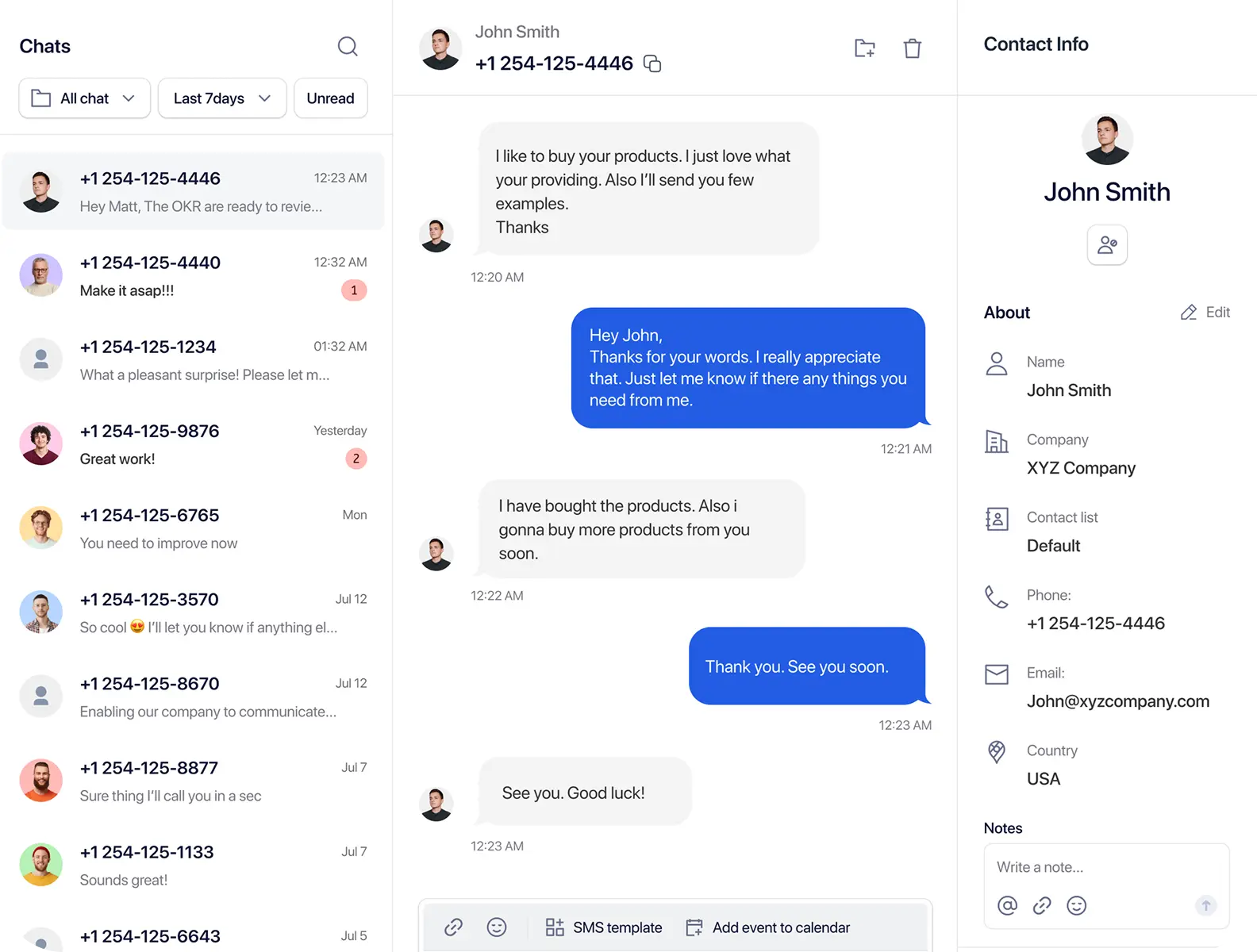
Business texting becomes difficult when replies are scattered across personal phones, disconnected numbers, or separate team accounts. A shared conversation workflow keeps follow-up organized.

Customer responses are harder to track when they land on different devices, personal phones, or tools that the rest of the team cannot access.

A teammate needs previous message history before giving an accurate response. Without context, follow-up becomes slower and less reliable.

Teams need a clear way to identify which conversations still need attention and which teammate is handling them.

Without a centralized workflow, important customer questions may be delayed, duplicated, or answered without full conversation history.
TextTorrent connects incoming customer replies, outgoing messages, conversation history, contact records, business numbers, the Claims workflow, team access, sub-account context, MMS, and message templates in one messaging workspace.
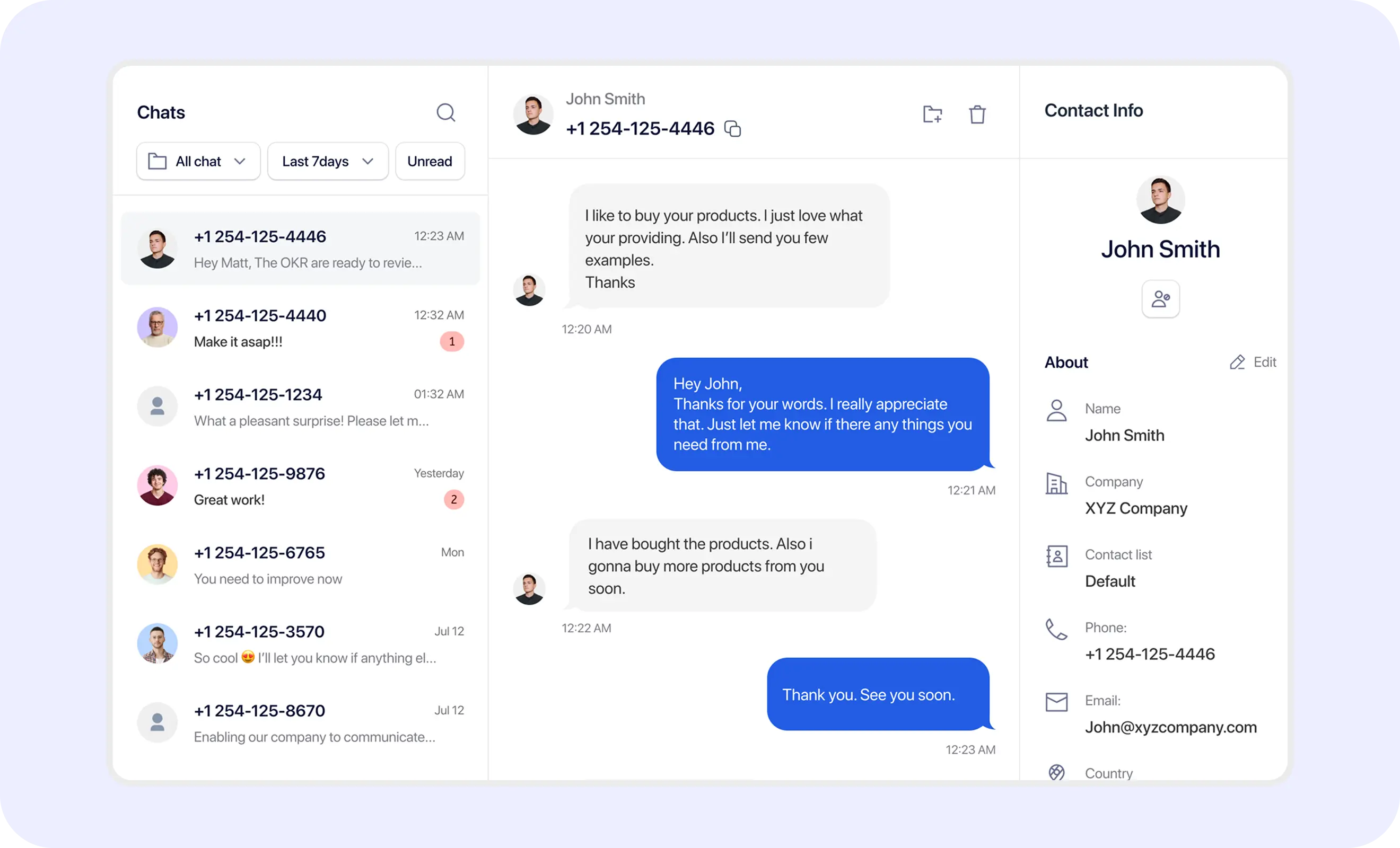
Two-way texting works best when outbound messages, inbound replies, ownership, and follow-up stay connected in one workflow.
A conversation may begin from an outbound campaign or an individual business message sent from a supported TextTorrent number.
When the recipient responds, the reply enters the TextTorrent messaging workflow instead of staying isolated on a personal phone.
Incoming replies may first appear in the Claims area so a team member can take ownership before handling the conversation in the main inbox.
A team member can take ownership of the available conversation so responsibility stays clear before follow-up begins.
The team member can review existing message history and send a reply through the business messaging inbox.
Future interactions remain associated with the conversation and contact where supported, so later follow-up keeps the same context.
Claims helps teams organize new replies before they are handled in the main inbox. Exact labels and behavior should match the current product interface.
An unclaimed conversation is a reply that is available for a team member to review or accept. Incoming replies may appear in Claims so ownership is clear before the conversation continues in the inbox.

A reply is available for a team member to review or accept.

A team member has taken responsibility for the conversation.

The conversation has been accepted and is available in the appropriate inbox workflow.
After acceptance, the conversation moves into the main inbox workflow so the team member can review history and continue the exchange with clearer ownership.
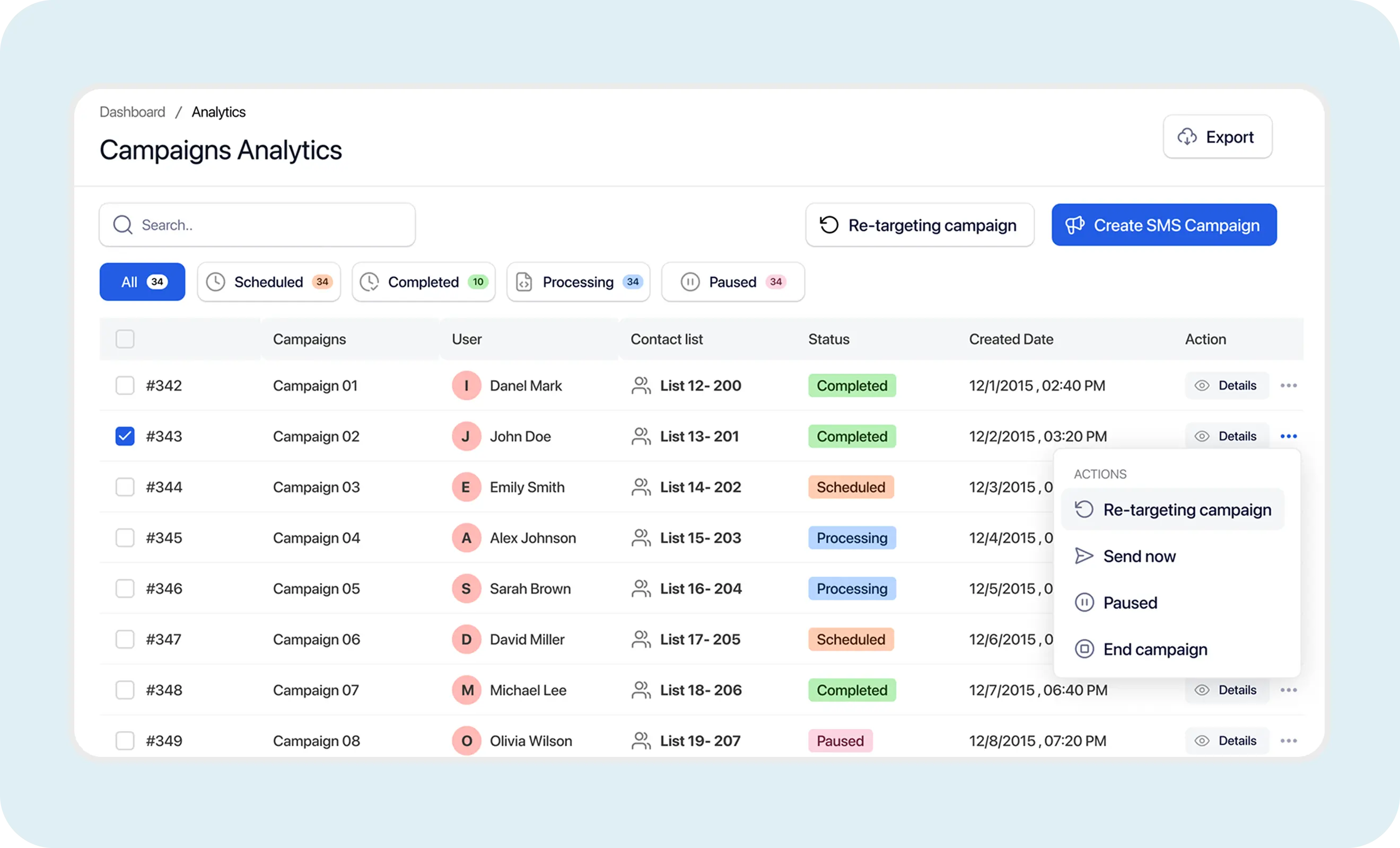
Use TextTorrent conversation tools to keep replies, history, contacts, and team follow-up connected.

Maintain two-way text conversations from supported business numbers so outbound outreach and inbound replies stay in one place.
Review previous incoming and outgoing messages before responding so the next reply reflects the full exchange.
Manage customer conversations in a centralized inbox rather than relying on personal devices for business replies.

View relevant contact details alongside the conversation where supported, so teams can reply with better customer context.
Use reusable templates to answer common questions more efficiently, then review the message before sending.

Include picture messaging in supported conversations when visual context helps the customer complete the next step.

Communicate through supported TextTorrent business numbers. Availability depends on supported inventory and number capabilities.

Access TextTorrent through the web, Android app, and iOS app so teams can continue conversations away from the desktop.
Conversation history helps a team member understand what the customer already asked, what the business already sent, and what should happen next before writing a reply.
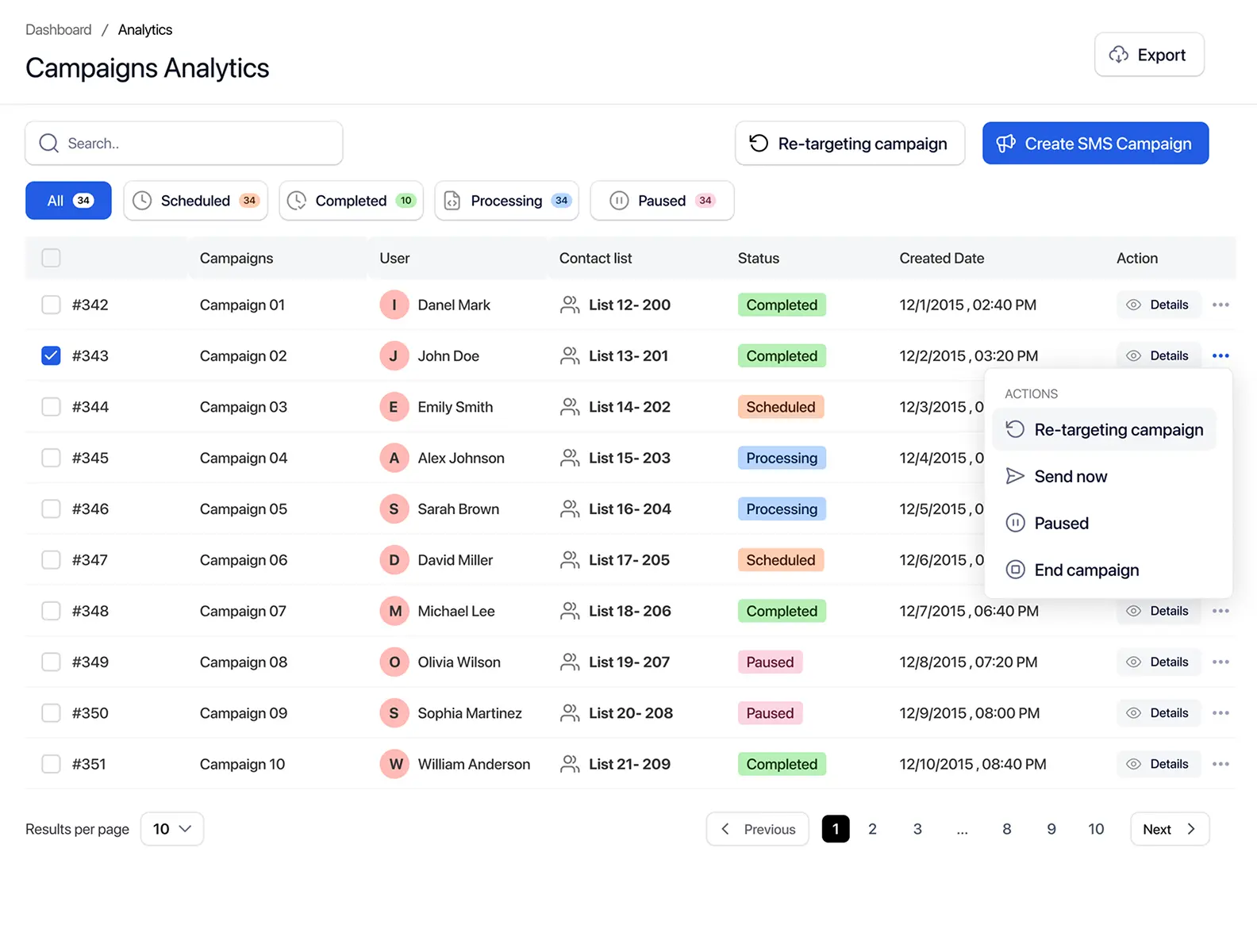
TextTorrent supports team-based communication through conversation ownership, Claims, user access, sub-account context, contact visibility, and consistent message templates—without inventing routing rules the product does not provide.

Respond to lead questions and continue follow-up conversations after a campaign or direct outreach message.

Handle document requests, appointment details, and status updates without losing prior message context.

Respond to product, account, or service questions through the business messaging inbox.
Sub-accounts can help agencies and organizations keep communication workflows organized across clients, departments, branches, business units, or operational teams.
Visibility and access depend on the user’s role and permissions. Do not assume every user can view every account or sub-account.
Two-way texting is useful when a business needs to answer questions, request information, and continue follow-up after an initial outbound message.
Teams need to clarify next steps without promising approval or funding.
Explore Merchant Cash Advance messagingRecipients may ask about availability, timing, or next contact steps.
Explore Real Estate messagingApplicants may reply with documents, questions, or scheduling preferences.
Explore Mortgage messagingCustomers may reply with questions or requested details.
Explore Insurance messagingPatients or staff may confirm timing or ask about next operational steps.
Explore Healthcare messagingCustomers may reply with order questions or delivery concerns.
Explore E-Commerce messagingExample scenario: a real estate company sends a property alert to opted-in buyers, then continues the conversation when a buyer replies.
The property alert is sent.
The buyer replies.
The conversation appears in the appropriate Claims workflow.
A team member accepts it.
The team member reviews the original message.
The team member replies through the main inbox.
The conversation remains available for follow-up.
Example wording should be reviewed for the business’s use case, consent process, and applicable messaging requirements.
Supported conversations can include picture messaging when visual context helps the customer act. MMS support may depend on the number, provider, carrier, and media format.
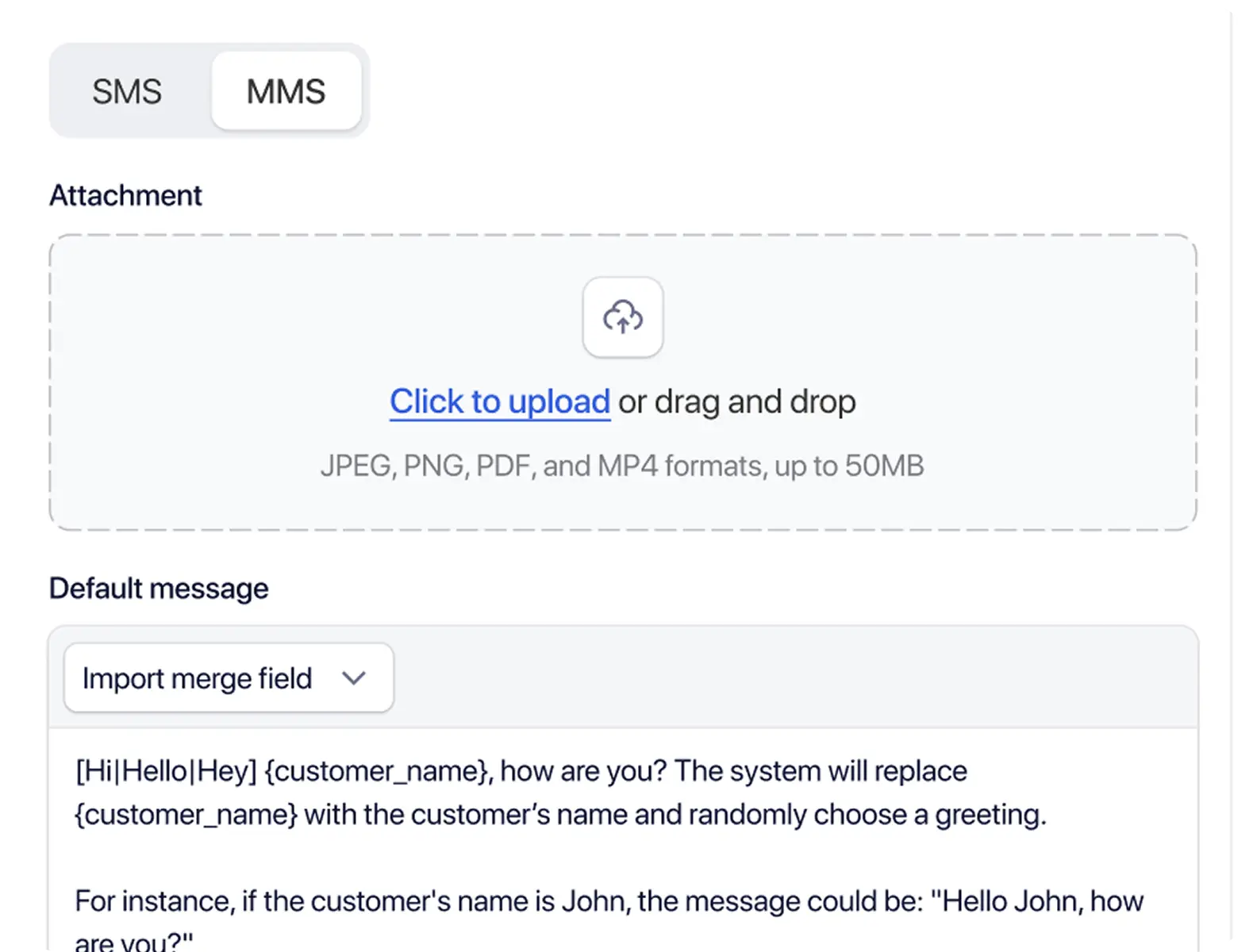

Share listing visuals during a buyer or seller conversation when a picture helps clarify the opportunity.

Send a product photo in a support or sales reply so the customer can confirm what they are discussing.

Attach a flyer when an upcoming event or promotion needs more context than text alone can provide.

Use a simple image to guide the next step when a short visual explanation is clearer than a long text reply.
Share supporting visuals only where operationally and legally appropriate for the conversation.
Businesses should avoid sending sensitive information unless the workflow has been reviewed and approved.
Media limits and accepted formats should not be assumed beyond what the product currently supports.
Two-way communication still requires responsible business practices. Conversation tools help teams operate, but customers remain responsible for consent and compliance.
TextTorrent provides messaging tools and operational controls, not legal advice. Customers remain responsible for obtaining appropriate consent and complying with applicable laws, carrier requirements, and industry rules.
TextTorrent connects outbound campaigns with the conversation workflow teams use to manage replies.
Customers can reply to outbound campaigns and continue the interaction through the broader messaging platform.

The Claims and inbox workflow helps teams identify and manage incoming conversations with clearer ownership.
TextTorrent does not charge an additional platform seat fee when additional users are added. Permissions may still differ by account setup.
Supported business numbers can be used for SMS and MMS communication where number and carrier support allow it.

Teams can access TextTorrent on the web, Android, and iOS. Exact feature availability may vary by device and app version.
Practical answers for teams evaluating TextTorrent for customer text conversations.
Two-way text messaging software allows businesses to send messages and receive customer replies through a business messaging platform. Instead of ending after an outbound text, the conversation continues in a managed inbox with message history.
Yes. Customers can reply to supported TextTorrent messages, and those replies may enter the Claims or inbox workflow so a team member can continue the conversation.
An incoming reply may appear as an unclaimed conversation in Claims. A team member claims or accepts it, and the conversation then becomes available in the appropriate inbox so the team can review history and reply with clearer ownership.
Yes, team access depends on the account, sub-account, role, and permission configuration. TextTorrent does not charge an additional platform seat fee when additional users are added, though permissions may still differ by setup.
Yes. TextTorrent conversation history lets team members review previous incoming and outgoing messages before sending the next reply.
Yes. TextTorrent supports MMS or picture messaging where available, so supported conversations can include images when that format fits the use case.
Supported TextTorrent local numbers can be used for business messaging, subject to number capabilities and registration requirements such as A2P 10DLC where applicable.
Yes. TextTorrent is available on Android and iOS in addition to web access. Exact feature availability may vary by device and app version.

