Manage Multiple SMS Gateways from One Platform

TextTorrent Multi-Gateway SMS helps businesses connect supported SMS providers and manage business messaging from one centralized dashboard. Keep provider credentials, messaging workflows, numbers, and campaign operations organized without bouncing between separate vendor consoles for every task. Use Own Gateway or TextTorrent Gateway paths according to your account setup, then continue managing contacts, conversations, and reporting inside TextTorrent.

TextTorrent multi-gateway SMS dashboard for managing connected messaging providers

No credit card required

Connect Multiple Providers

Centralized Operations

Flexible Business Messaging

Why Businesses Use Multiple SMS Gateways

Provider Relationships Should Not Fragment Your Operations

Teams often keep existing SMS provider relationships while still needing one place to run campaigns, conversations, contacts, and reporting.

Different Business Units

Different Business Units

Departments may already use different provider accounts and still need a shared operational workspace.

Client and Agency Accounts

Client and Agency Accounts

Agencies may need to respect a client’s existing Twilio, Telnyx, or Plivo relationship while managing messaging work in TextTorrent.

Existing Provider Relationships

Existing Provider Relationships

Bring-your-own-gateway setups let teams keep provider pricing, numbers, and routes while using TextTorrent platform features.

Operational Flexibility

Operational Flexibility

Own Gateway and TextTorrent Gateway credit models give teams different ways to structure delivery billing and platform usage.

Connect Your SMS Providers

Add Supported Gateway Credentials to TextTorrent

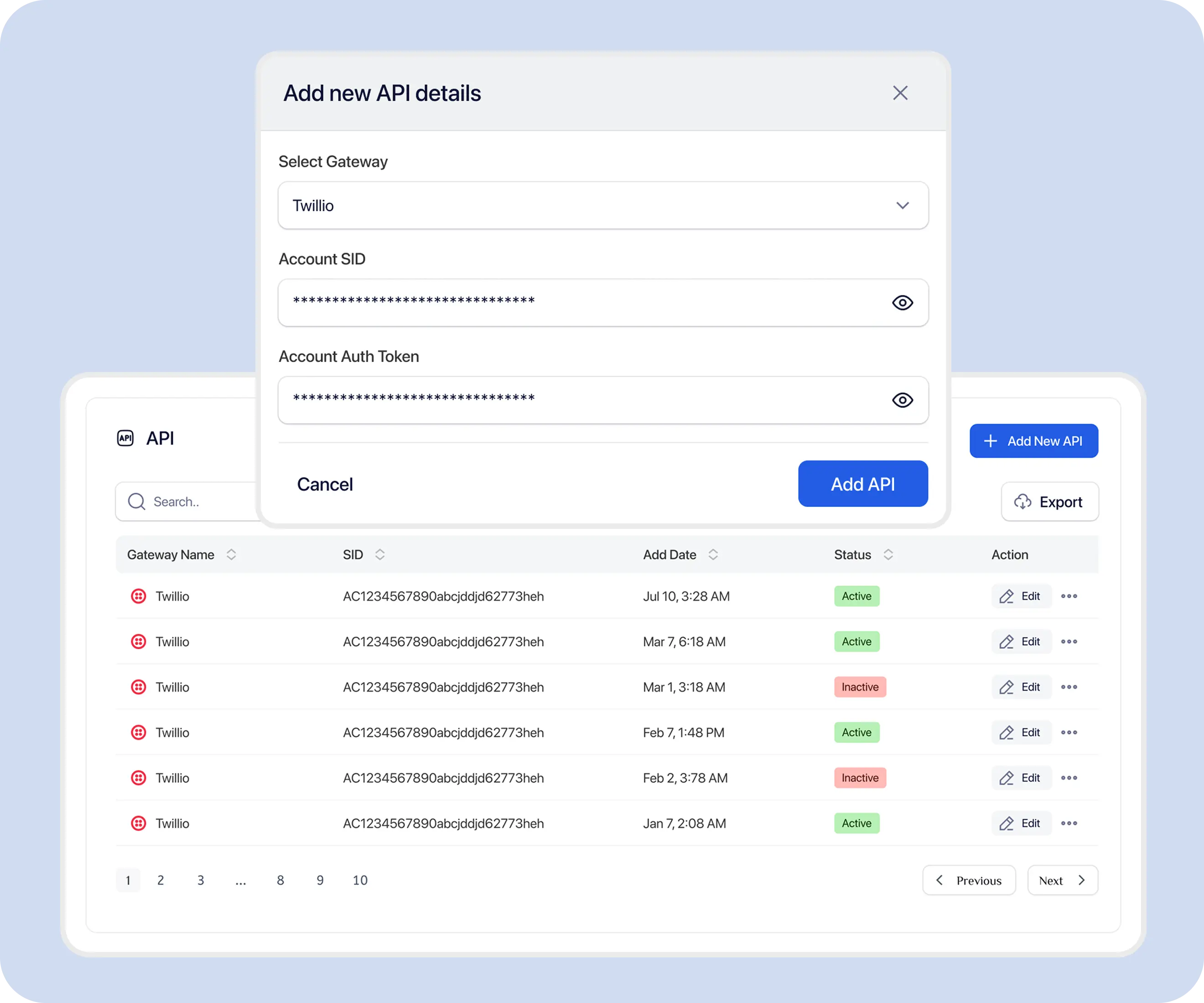
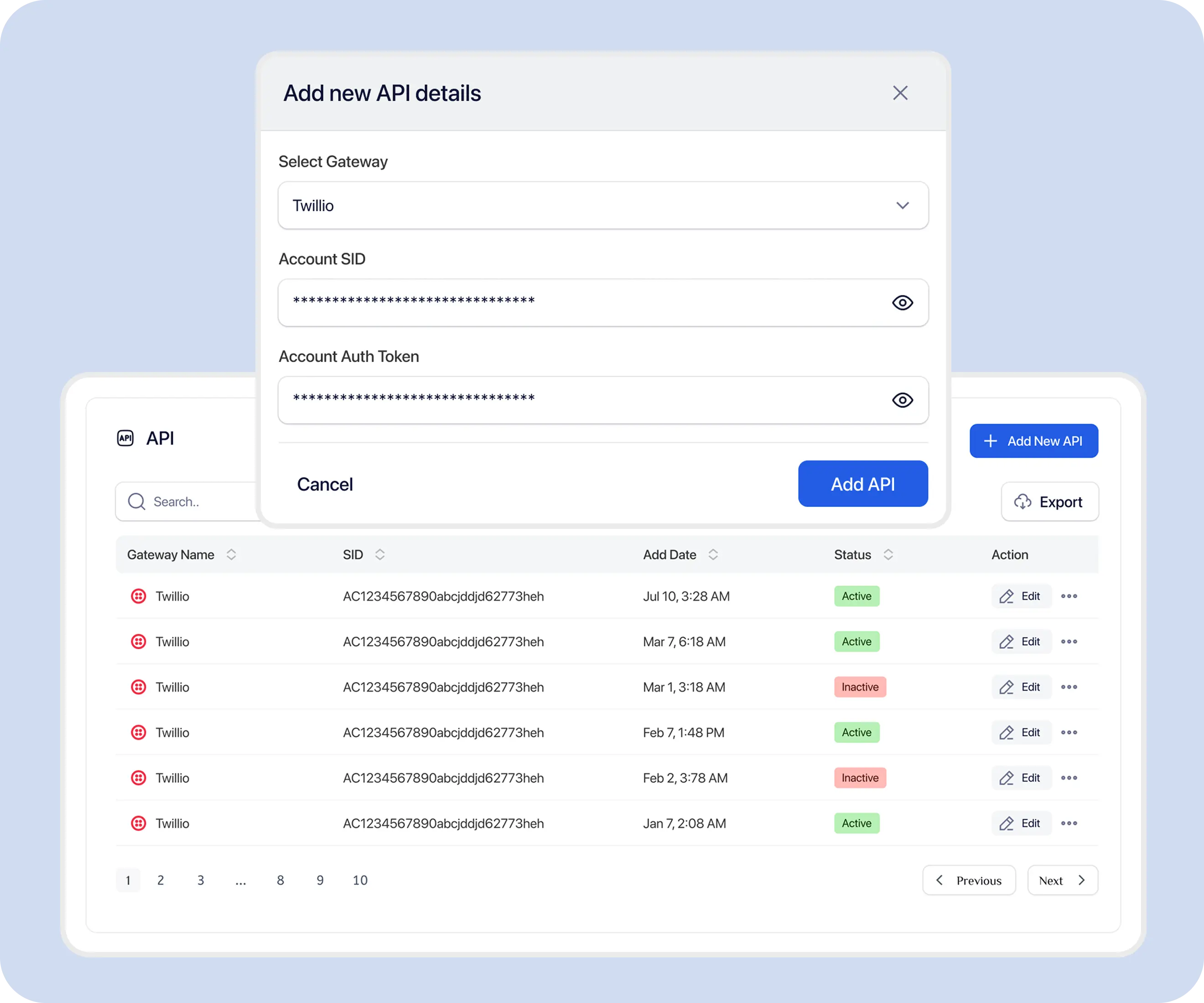
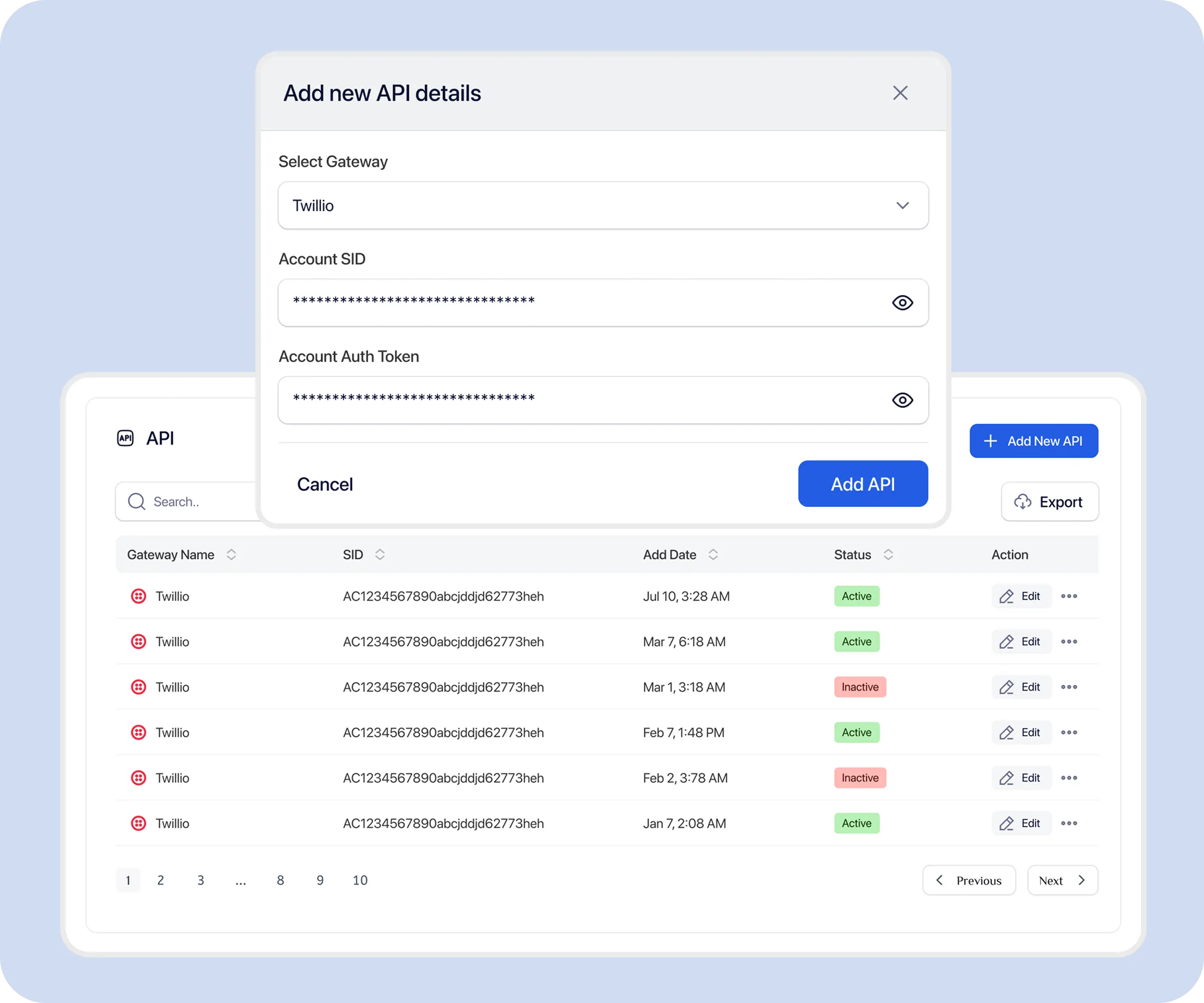
Public product positioning describes adding, editing, and monitoring provider API connections from a unified dashboard. Exact field labels should be confirmed in the live account settings.

01

Open Gateway Settings

Go to the TextTorrent settings area used for SMS gateway or API provider connections.

02

Choose a Supported Provider

Select a currently named supported option such as Twilio, Telnyx, or Plivo according to your account setup.

03

Enter API Credentials

Add the provider credentials required for the connection. Store keys server-side and never publish them in screenshots or source control.

04

Verify the Connection

Confirm the provider connection status in the dashboard before relying on the gateway for production messaging.

05

Save the Gateway

Save the configuration, then run an internal test send on an approved contact before broader campaign use.

TextTorrent add SMS gateway screen for entering supported provider credentials

Automatic failover, smart routing, and AI provider selection are not claimed on this page.

Supported SMS Providers

Connect Providers Named in Current TextTorrent Positioning

Current public product and legal copy name Twilio, Telnyx, and Plivo as connectable third-party messaging gateways. Additional providers are not listed here unless confirmed.

Twilio

Twilio is highlighted in TextTorrent pricing for Bring Your Own Gateway setups. Businesses can connect Twilio API credentials to use TextTorrent features while keeping existing Twilio pricing, numbers, and routes where that plan and configuration apply.
Telnyx

Telnyx is named in TextTorrent product and privacy positioning as a third-party messaging gateway customers may connect. Use Telnyx when your business already operates on that provider relationship.

Plivo

Plivo is named alongside Twilio and Telnyx as a connectable third-party messaging gateway. Keep provider-side billing, numbers, and compliance obligations aligned with your Plivo account terms.

Sinch, Vonage, MessageBird, Bandwidth, Infobip, AWS SNS, and custom SMPP are not published as supported providers on this page.

Gateway Credit Paths

Understand Own Gateway and TextTorrent Gateway Messaging

TextTorrent documentation distinguishes Own Gateway from TextTorrent Gateway when calculating platform credits for SMS, MMS, and some AI features.

Own Gateway

Own Gateway

Own Gateway SMS uses 1 platform credit per SMS segment in current documentation. With Bring Your Own Gateway plans, your connected provider handles message delivery billing separately.

TextTorrent Gateway

TextTorrent Gateway

TextTorrent Gateway SMS uses 3 platform credits per SMS segment in current documentation. This path uses TextTorrent’s gateway arrangement rather than your own connected provider credentials.

Credit values can change; confirm the current pricing and API credit tables before planning large sends.

Gateway Dashboard

Manage Connected Gateways from One Place

TextTorrent positions gateway management as a unified dashboard for adding keys, editing credentials, and monitoring connection status.

  • View connected provider configurations in one operational workspace.
  • Add or update API credentials for supported gateways.
  • Monitor connection status after configuration changes.
  • Keep provider credentials out of frontend code and public materials.
  • Organize gateway configuration alongside the broader TextTorrent messaging account.

This page does not invent enable/disable toggles, gateway limits, or routing rules beyond verified public positioning.

TextTorrent gateway management settings for reviewing connected SMS providers
TextTorrent connected SMS providers overview with supported gateway configuration
Campaigns and Gateways

Connect Gateway Configuration with Campaign Workflows

Campaign messaging still runs through TextTorrent campaign tools. Delivery and platform credits follow the account’s configured Own Gateway or TextTorrent Gateway path.

  • Create and manage campaigns in TextTorrent’s campaign tools.
  • Platform credits differ by Own Gateway vs TextTorrent Gateway according to current documentation.
  • Bring Your Own Gateway setups keep provider-side delivery billing with the connected gateway.
  • Do not assume automatic provider switching during a campaign.

A dedicated campaign-level gateway selector UI is not verified in current public documentation and is not claimed here.

TextTorrent campaign workflow context for Own Gateway and TextTorrent Gateway messaging
Campaign messaging uses the account’s configured gateway path. Exact campaign UI gateway selectors require product confirmation.

Explore bulk SMS software

Numbers and Providers

Manage Numbers with Their Configured Provider Relationship

Numbers remain tied to their provider relationship. Bring Your Own Gateway positioning emphasizes keeping existing numbers and routes with your connected provider account.

  • Numbers belong to their configured provider relationship.
  • Local TextTorrent numbers and provider-owned numbers should be reviewed separately.
  • Confirm SMS, MMS, and voice capability on each number before relying on a workflow.
  • Assign numbers to the correct account or sub-account context where supported.
  • Changing gateway credentials does not automatically move number ownership between providers.

Confirm number ownership and capability in both TextTorrent and the provider console before launching campaigns.

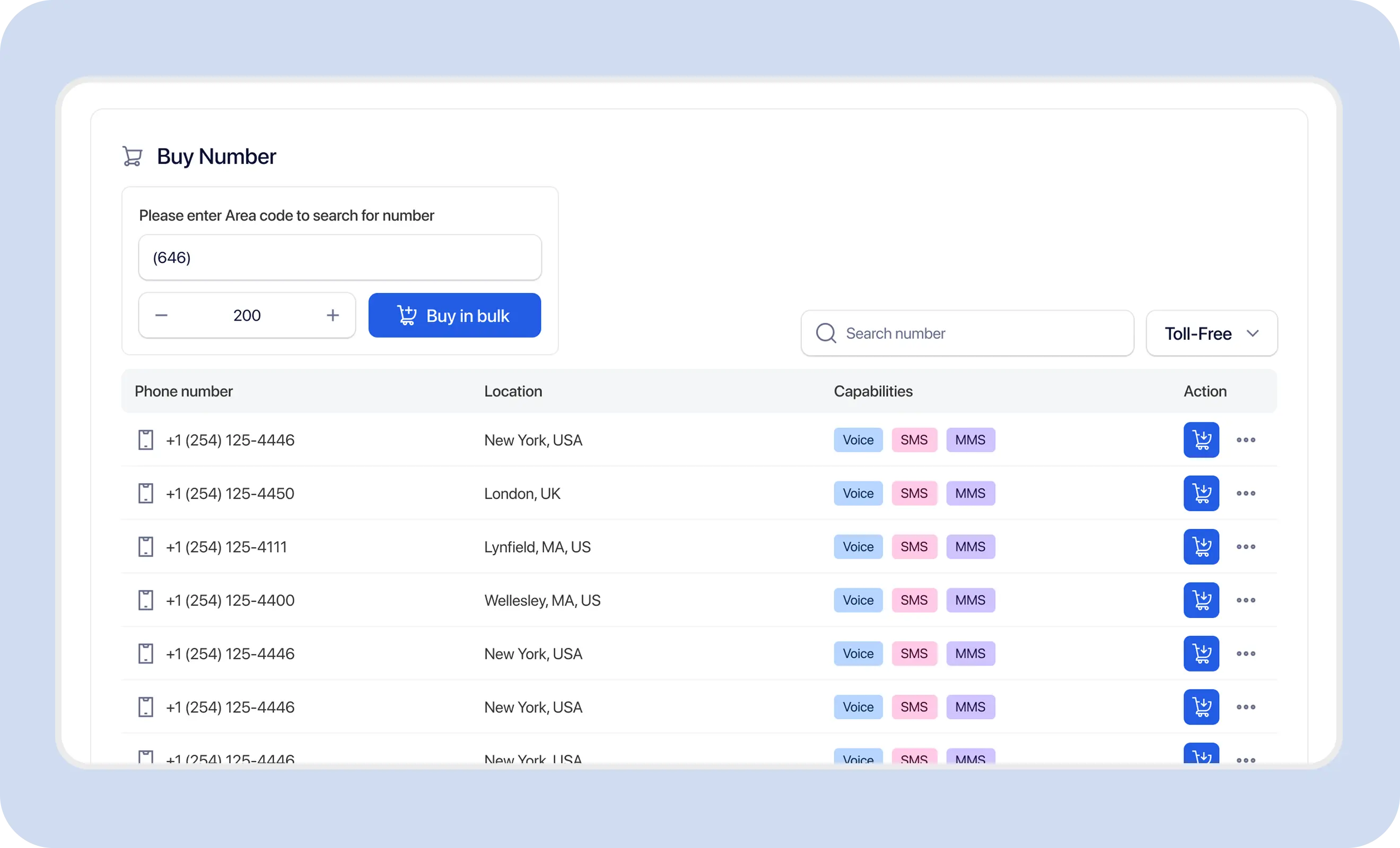
TextTorrent number management workspace used with connected SMS gateway providers

Explore local SMS numbers

Connected Workflows

Multi-Gateway Workflows Across TextTorrent

Gateway management sits alongside TextTorrent messaging tools so provider configuration stays connected to day-to-day operations.

Bulk SMS

Run audience campaigns while credits follow the configured Own Gateway or TextTorrent Gateway path.

Explore bulk SMS software

SMS API

Use authenticated messaging APIs for application workflows. Current public docs do not expose a gateway_id send parameter.

Explore the SMS API

Shared Inbox

Handle customer replies in the shared inbox while outbound delivery continues through the account’s configured gateway path.

Explore the shared SMS inbox

SMS Analytics

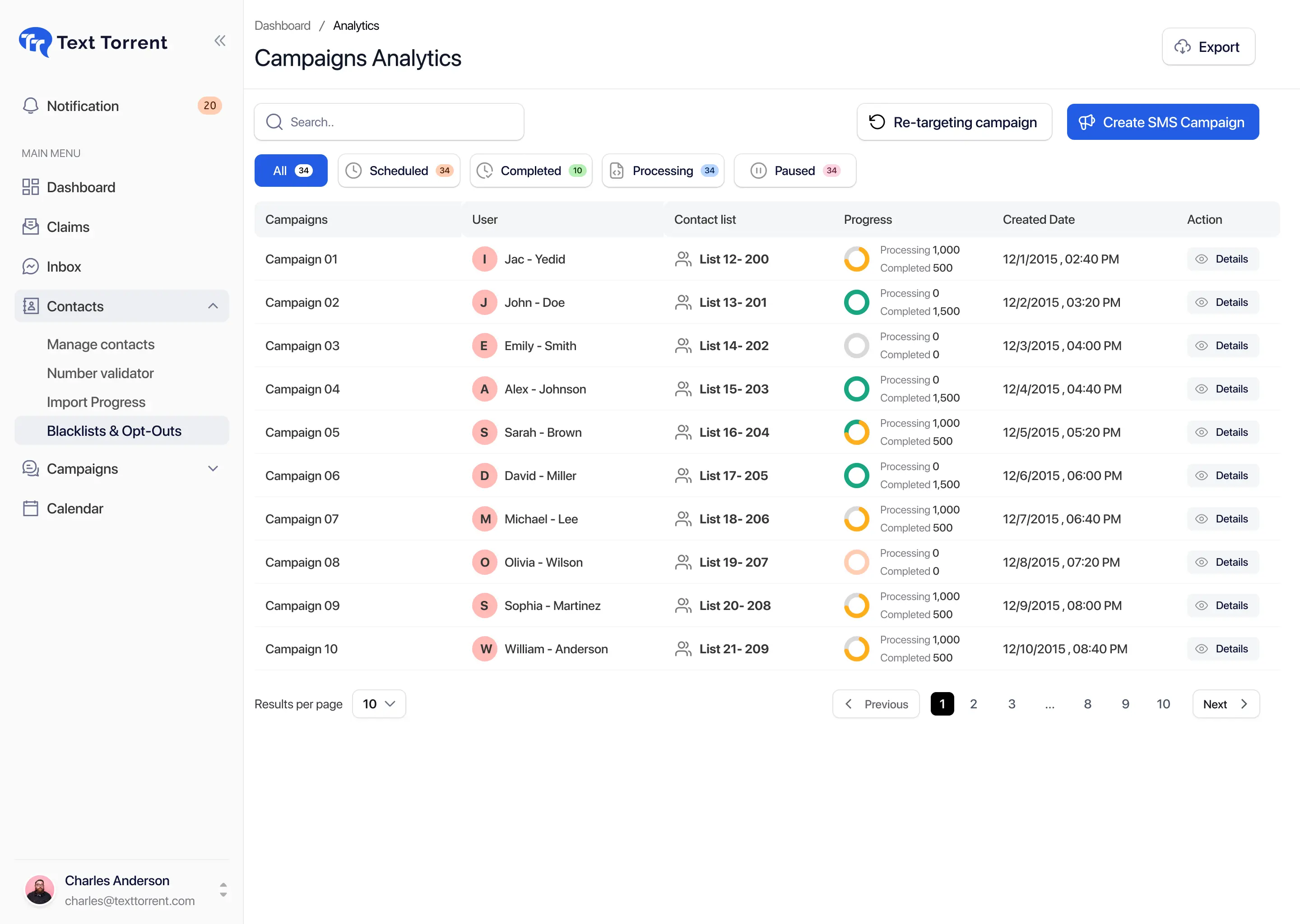
Review campaign and delivery activity in TextTorrent analytics tools for the messaging activity available in your account.

Explore SMS analytics

Contact Management

Keep audiences organized in TextTorrent while provider delivery remains tied to the connected gateway configuration.

Explore contact management

SMS Automation

Coordinate follow-up messaging in TextTorrent without inventing automatic cross-provider failover behavior.

Explore SMS automation
Industry Use Cases

Practical Multi-Gateway SMS Scenarios

These examples show realistic operational needs. They do not imply automatic routing or industry-specific gateway engines.

Marketing Agencies

Who sends

Agency operators

Why

Keep client provider relationships intact while managing messaging work from one platform.

  • Connect a client’s supported provider credentials where permitted
  • Run campaigns and conversations in TextTorrent
  • Keep delivery billing with the client gateway when using BYOG
  • Organize work by client or sub-account context

Confirm consent and registration for each client use case.

Explore Marketing Agencies messaging

Merchant Cash Advance

Who sends

Funding operations teams

Why

Organize provider usage across funding outreach without inventing automatic gateway switching.

  • Keep one operational dashboard for campaigns and replies
  • Use the configured gateway path for outbound sends
  • Monitor credits against Own Gateway or TextTorrent Gateway rates
  • Review delivery activity in analytics tools

Only message contacts with verified consent and registered use cases.

Explore Merchant Cash Advance messaging

Healthcare

Who sends

Operations and communications teams

Why

Manage messaging providers for different departments where separate provider relationships already exist.

  • Connect the department’s supported provider where appropriate
  • Keep sensitive content out of SMS where policy requires
  • Use TextTorrent for approved operational messaging workflows
  • Review opt-out and suppression rules carefully

Follow applicable healthcare communication and consent rules.

Explore Healthcare messaging

Enterprise Businesses

Who sends

Operations and RevOps teams

Why

Centralize SMS operations across teams while preserving existing provider contracts.

  • Standardize campaign and inbox workflows in TextTorrent
  • Keep provider credentials restricted to authorized admins
  • Align numbers with the correct provider relationship
  • Use analytics for operational review

Do not assume automatic failover between providers.

Explore Enterprise Businesses messaging
Why TextTorrent

Why Businesses Choose TextTorrent for Multi-Gateway SMS

TextTorrent connects supported provider relationships to the same messaging, campaign, contact, and analytics workspace teams already use.

Multiple Gateway Support

Multiple Gateway Support

Connect supported providers such as Twilio, Telnyx, and Plivo according to current public positioning.

Central Dashboard

Central Dashboard

Add credentials, edit keys, and monitor connection status from one operational interface.

Campaign Management

Campaign Management

Run messaging campaigns in TextTorrent while credits follow Own Gateway or TextTorrent Gateway documentation.

API Integrations

API Integrations

Use TextTorrent messaging APIs for application workflows alongside connected provider delivery arrangements.

Analytics

Analytics

Review messaging activity through TextTorrent analytics tools for the records available in your account.

Supported Scope

What This Page Does and Does Not Claim

Multi-Gateway SMS is described here as provider connection and centralized operations—not as an automatic routing engine.

Verified on this page

  • Connect supported providers named in current positioning: Twilio, Telnyx, and Plivo
  • Own Gateway vs TextTorrent Gateway credit paths documented in API and pricing materials
  • Bring Your Own Gateway pricing that highlights connecting your own Twilio credentials
  • Add, edit, and monitor provider API credentials from a unified dashboard
  • Provider-side delivery billing remains with the connected gateway on BYOG setups

Not claimed here

  • Automatic failover between gateways
  • Smart routing or AI gateway selection
  • Lowest-cost routing or load balancing
  • Carrier optimization or global traffic balancing
  • Sinch, Vonage, MessageBird, Bandwidth, Infobip, AWS SNS, or custom SMPP support
  • A documented API gateway_id send parameter
  • Verified campaign UI gateway picker
  • Automatic cross-gateway opt-out synchronization
Responsible Operations

Provider Connections Do Not Replace Consent or Registration

Connecting a gateway gives TextTorrent a delivery path. Consent, registration, content, and opt-out responsibilities remain with the customer.

  • Keep provider API credentials restricted to authorized administrators.
  • Confirm Own Gateway vs TextTorrent Gateway credit impact before large sends.
  • Respect opt-outs and do not assume automatic sync across every external gateway.
  • Align message content with the registered use case for local-number messaging.
  • Review provider-side billing separately on Bring Your Own Gateway setups.
  • Redact credentials and customer data from screenshots and support materials.

TextTorrent provides messaging platform tools and supported gateway connections, not legal advice. Customers remain responsible for consent, registration accuracy, message content, opt-out handling, provider account compliance, data protection, and applicable laws, carrier requirements, industry rules, and the terms of their messaging registration and provider contracts.

Frequently Asked Questions

Multi-Gateway SMS Questions, Answered

Practical answers based on currently verified TextTorrent gateway positioning.

A multi-gateway SMS platform lets a business connect supported SMS providers and manage messaging operations from one interface. In TextTorrent, that includes connecting named providers, using Own Gateway or TextTorrent Gateway credit paths, and continuing campaign, contact, inbox, and analytics workflows in one place.

Current public product and legal positioning name Twilio, Telnyx, and Plivo as connectable third-party messaging gateways. Pricing also highlights Connect Your Own Twilio on the Bring Your Own Gateway plan. Other providers are not listed as supported on this page.

TextTorrent publicly positions multi-gateway support and managing multiple APIs from a unified dashboard. Exact simultaneous-connection limits should be confirmed in the live account. This page does not invent a maximum gateway count.

Campaigns run through TextTorrent campaign tools, and platform credits follow Own Gateway or TextTorrent Gateway documentation. A dedicated campaign-level gateway selector is not verified in current public documentation, so automatic per-campaign provider switching is not claimed here.

Gateway credentials and connections are managed from TextTorrent settings where provider configuration is available. Remove or update credentials carefully, then confirm that numbers, campaigns, and delivery paths still match the intended provider relationship.

Numbers remain tied to their configured provider relationship. Bring Your Own Gateway positioning emphasizes keeping existing numbers and routes with your connected provider. Review ownership and capability in both TextTorrent and the provider console.

No. Automatic failover, smart routing, AI gateway selection, and load balancing are not claimed on this page. Configure the supported provider relationship your account should use, then operate messaging through that setup.

Developers can use TextTorrent messaging APIs for authenticated send, inbox, campaign, contact, and reporting workflows. Current public API documentation describes Own Gateway vs TextTorrent Gateway credit costs but does not document a gateway_id send parameter.

TextTorrent supports sub-account organization and number assignment workflows. Dedicated per-sub-account gateway assignment is not verified in current public documentation and is not claimed here. Confirm the live account model before promising client-specific provider isolation.

TextTorrent analytics tools report messaging activity available in your account. Do not assume a special cross-provider aggregation mode beyond the records TextTorrent stores for the configured messaging workflows. Confirm reporting scope in the live analytics views.