


Sent
Sent indicates that TextTorrent processed or submitted the message for sending through the relevant messaging workflow. It does not imply the carrier or recipient received it.
TextTorrent SMS campaign analytics helps businesses review campaign activity, delivery statuses, replies, and message logs from one reporting interface. Open campaign details when a result needs investigation—and plan the next follow-up from what the data actually shows.
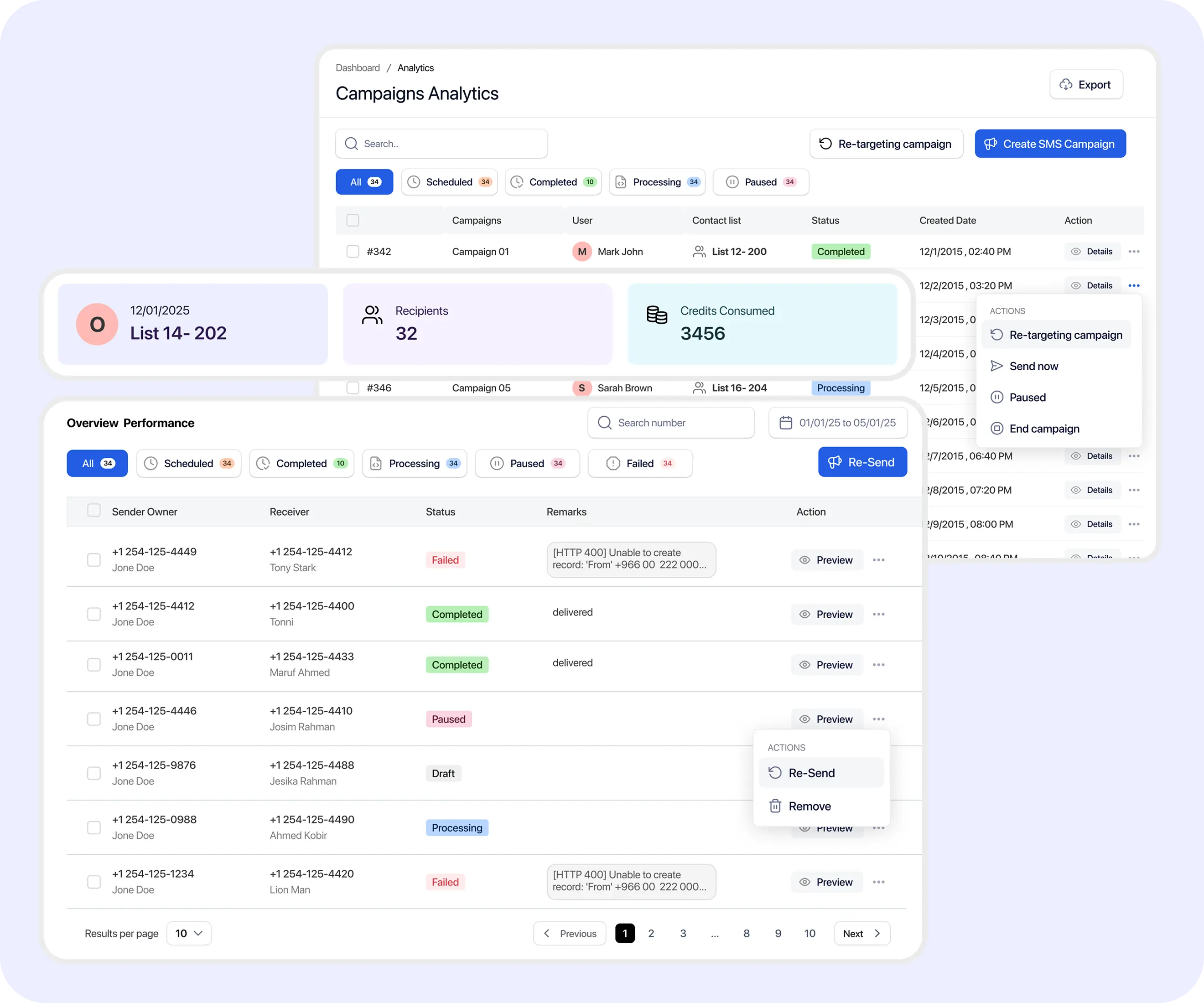
Businesses need more than a total sent count to understand campaign activity. SMS analytics software helps teams review delivery outcomes, replies, and message-level details before deciding what to do next.

A platform may submit a message successfully without receiving a delivery confirmation. Campaign reporting needs to separate submission from delivery outcomes.

Failures may relate to invalid numbers, unsupported numbers, carrier filtering, provider responses, number configuration, or other causes. Not every failure reason can always be identified.

Campaign replies should connect to a team workflow rather than remain only as a metric on a dashboard.

Campaign-level numbers should be supported by message-level details when a result needs investigation.
TextTorrent connects campaign summaries, delivery statuses, reply activity, individual message details, contact context, campaign details, retargeting options, and two-way conversations—so reporting stays connected to messaging operations.
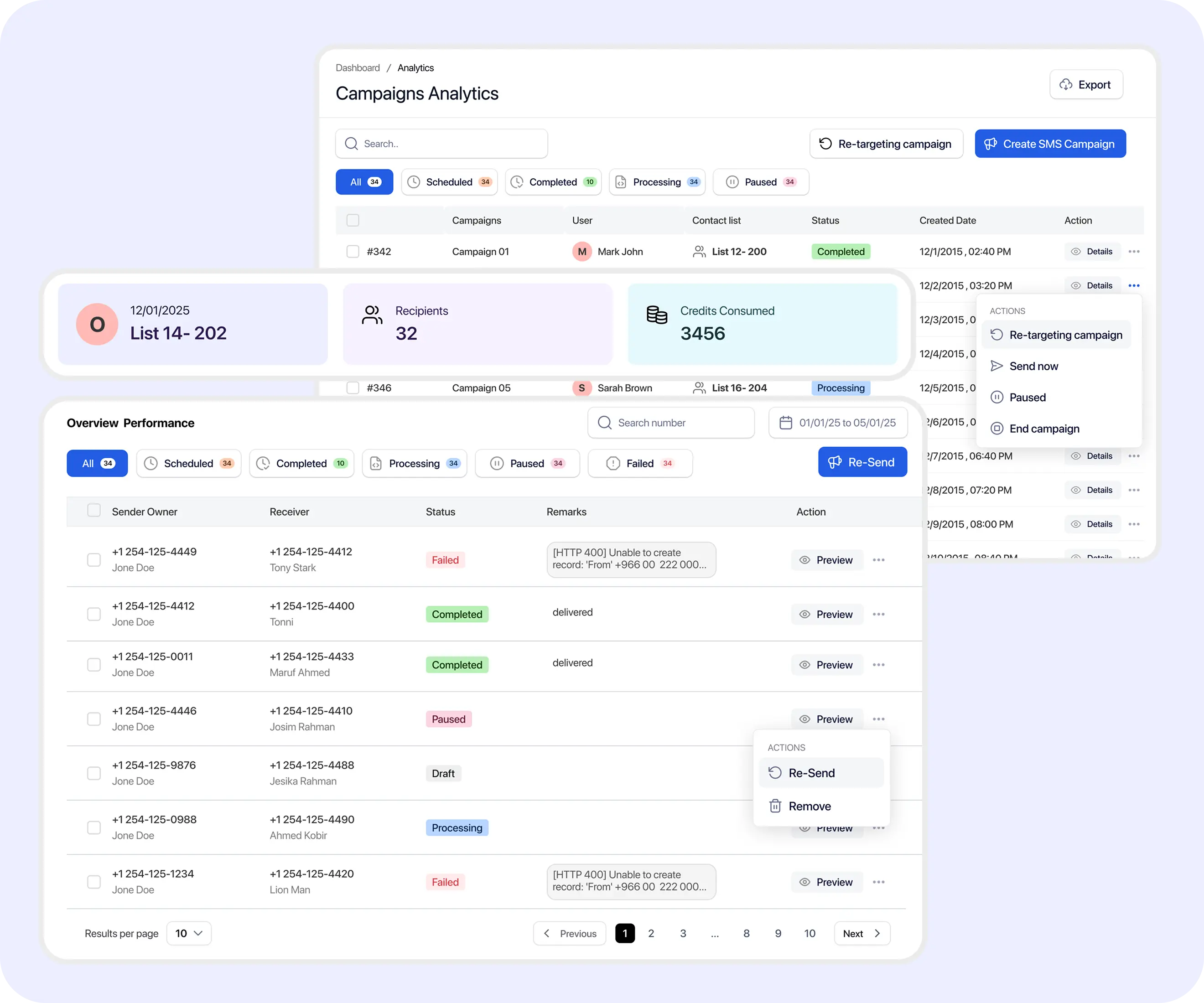
Use exact status meanings carefully. Delivery confirmation is not proof that a recipient opened or read the message.
Sent indicates that TextTorrent processed or submitted the message for sending through the relevant messaging workflow. It does not imply the carrier or recipient received it.
Accepted indicates that the message was accepted by the relevant downstream provider or messaging system for further processing. It does not imply final delivery.
Delivered indicates that TextTorrent received a delivery confirmation from the provider or carrier workflow where that confirmation was available. Delivered does not mean the recipient opened or read the message.
Failed or Undelivered indicates that the message could not proceed successfully or did not receive a successful delivery outcome. Exact labels may depend on the response returned through the messaging workflow.
A reply is a customer response to the message and should connect to the TextTorrent inbox or Claims workflow for team follow-up.
Use a clear reporting workflow so campaign totals, details, and next actions stay connected.
Begin in the reporting or analytics area where campaign activity is available.
Choose the campaign you want to review so totals and details stay scoped to that send.
Review verified totals such as Sent, Accepted, Delivered, Failed or Undelivered, and Replies where those results are available.
Open the details view when you need more granular recipient or message information.
Review message-level status, phone number, time, and available error detail where those fields are shown.
Follow up with replies, investigate unsuccessful results, update contact records, or build a retargeting audience where appropriate.
These metric explanations match the reporting concepts currently described across TextTorrent campaign analytics. Do not invent rate cards the dashboard does not show.
Represents
Messages TextTorrent processed or submitted for sending through the campaign workflow.
Does not represent
Carrier receipt, inbox placement, or recipient readership.
Compare Sent with Accepted and Delivered before drawing conclusions.
Represents
Messages accepted by the relevant downstream provider or messaging system for further processing.
Does not represent
Final delivery to the recipient device.
Investigate large gaps between Accepted and Delivered when those results are available.
Represents
A returned delivery confirmation where available through the provider or carrier workflow.
Does not represent
A read receipt, click, reply, or conversion.
Compare delivered records with replies or campaign goals when planning follow-up.
Represents
Messages that could not proceed successfully or did not receive a successful delivery outcome.
Does not represent
A complete root-cause diagnosis for every unsuccessful message.
Open campaign details and review available error or contact context before retrying.
Represents
Customer responses associated with the campaign activity.
Does not represent
Automatic conversion, appointment booking, or sales outcome.
Move replies into the two-way conversation workflow for team follow-up.
Open campaign details when a total looks unexpected, when replies need follow-up, or when unsuccessful messages need investigation. Use anonymized or approved demo data in public product screenshots.
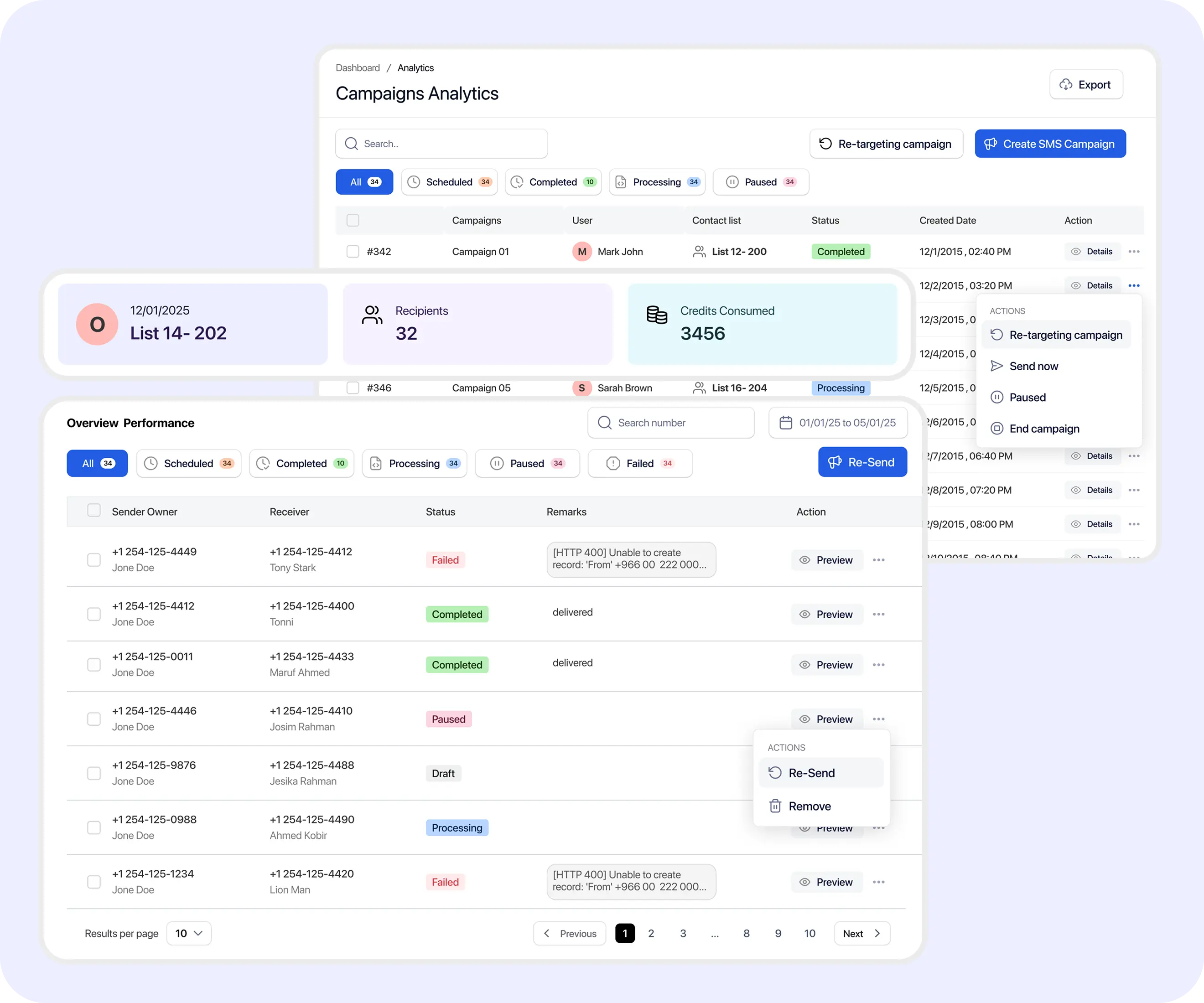
Message-level records help teams check submission, latest status, timing, and available error context. Not every delivery issue includes a complete explanation.
Verified fields
Practical uses
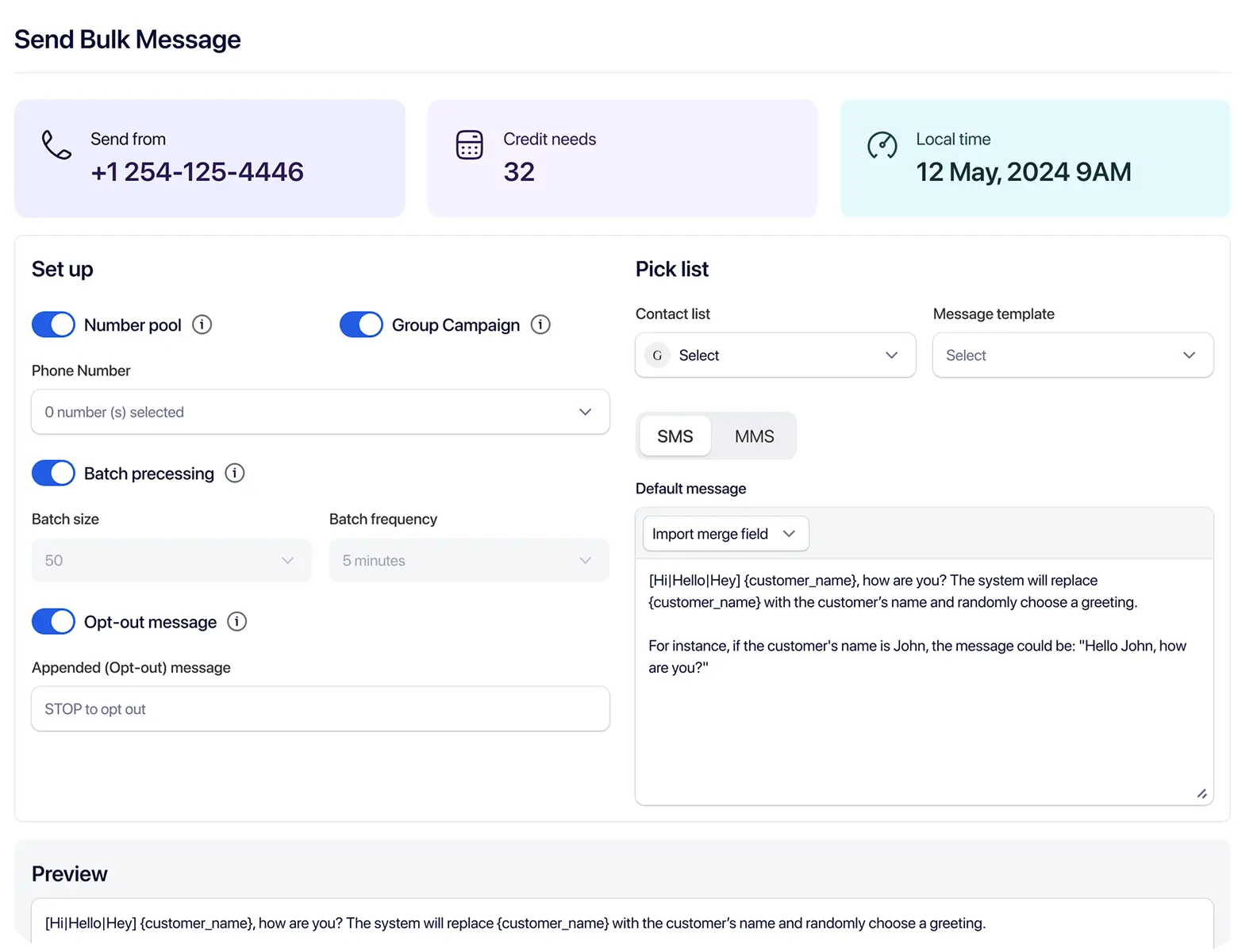
Campaign percentages are only useful when the same definitions and filters are used consistently. The examples below are educational and should not be treated as exact TextTorrent dashboard formulas unless confirmed in the product.
Delivered messages ÷ messages submitted for delivery × 100
Confirm whether the product denominator is Sent, Accepted, total attempted, or another defined value before publishing a dashboard formula.
Contacts who replied ÷ delivered contacts × 100
Use only as an educational example unless the dashboard displays this exact calculation.
Failed or undelivered messages ÷ total attempted messages × 100
Verify the denominator used in the current product before treating this as a TextTorrent metric.
Do not publish universal “good” or “bad” benchmarks without current, credible evidence and appropriate context.
Reply totals matter only when they connect to customer follow-up. Campaign replies can move into the TextTorrent inbox or Claims workflow so teams can continue the conversation.
Inbound messages generated after a campaign. Multiple replies from one contact may increase the total.

Replies should connect to Claims, inbox ownership, conversation history, and team follow-up where those tools are available.

Use replies to answer questions, send requested information, schedule next steps, or assign a team member.
Continue exploring
Explore two-way text messaging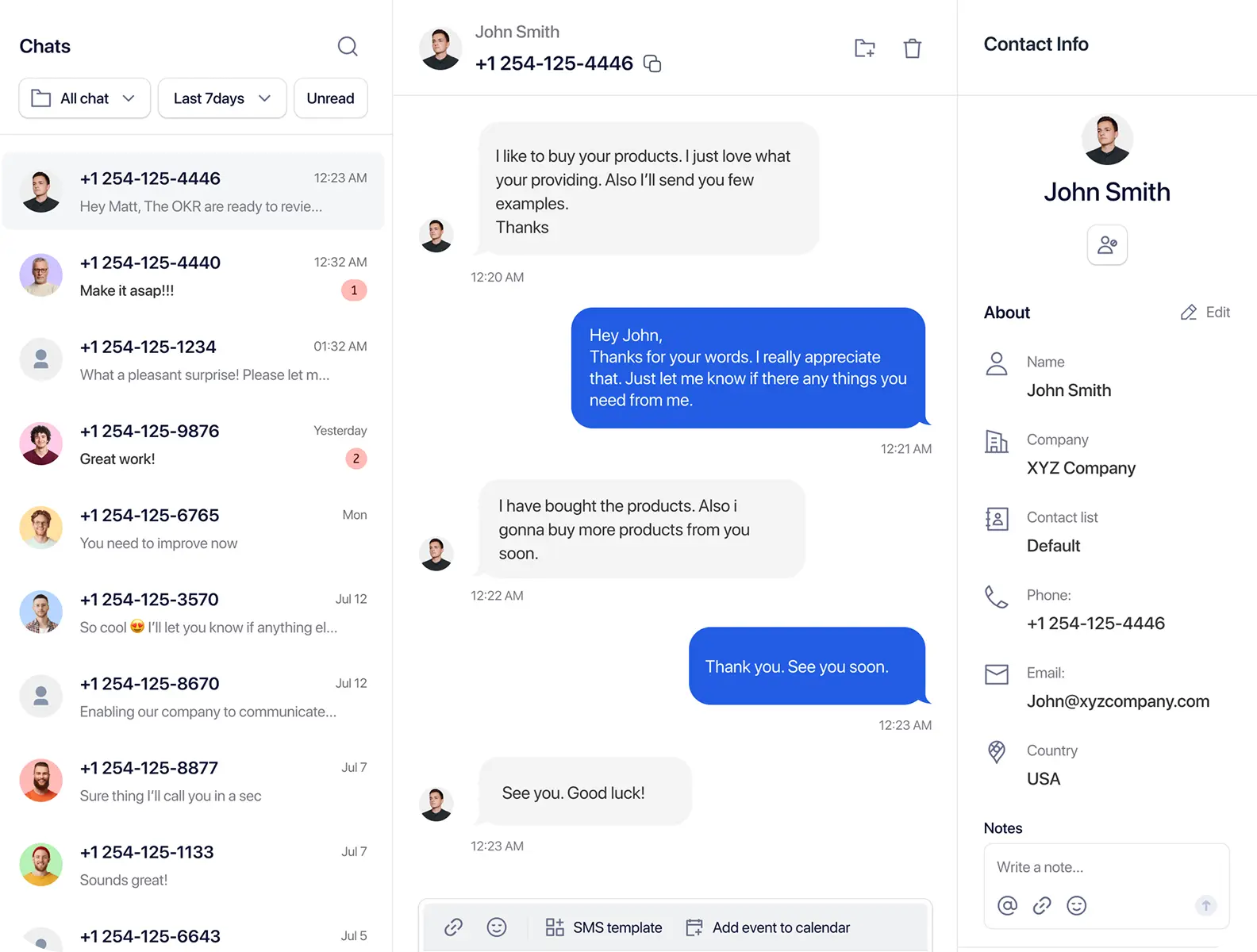
Do not assume total replies and unique responders are the same unless the product shows both metrics.
TextTorrent reporting helps teams investigate delivery problems carefully. It does not claim to identify the exact carrier-level reason in every case, and changing content or numbers will not automatically solve every issue.
These categories are potential causes that may require investigation. Do not treat them as confirmed causes without matching error data.

The number may be incorrect, disconnected, or unavailable for the intended send.

The recipient number may not support the intended messaging type.

The contact may be opted out, blacklisted, or otherwise suppressed from messaging.

The downstream provider or carrier may reject or block the message where that response is returned.

The sending number may not be fully active, registered, or configured for the campaign.

The message may not align with registered messaging expectations or responsible messaging practices.

A temporary processing or network issue may prevent successful delivery.
Where supported, TextTorrent can help teams create follow-up audiences based on contacts who replied or did not reply. Review subscriber status before sending another message, and avoid repeated or aggressive follow-up.
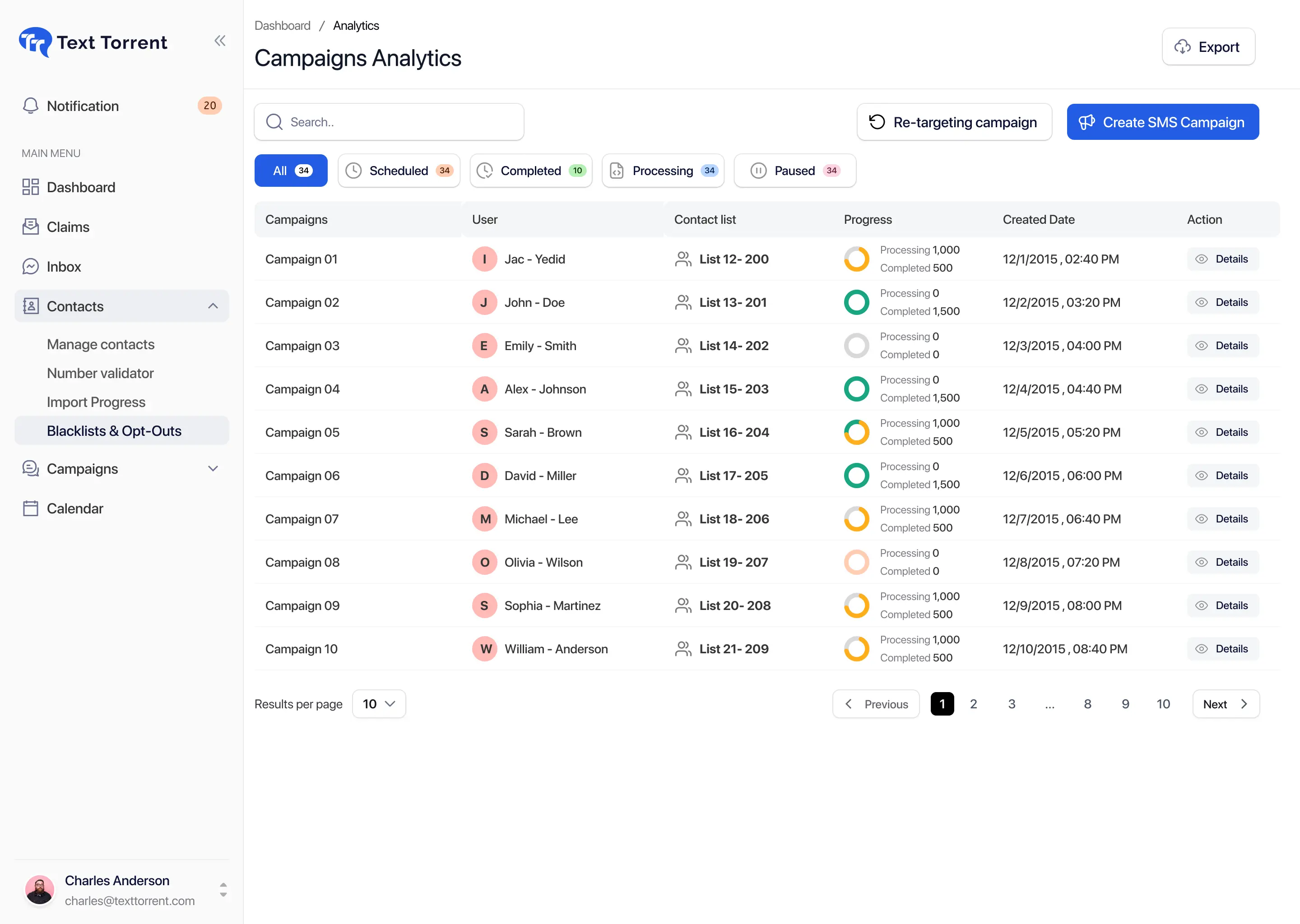
Review campaign activity for the period that matches the send you are investigating. Use consistent windows when comparing recent campaigns, promotions, or delivery changes.
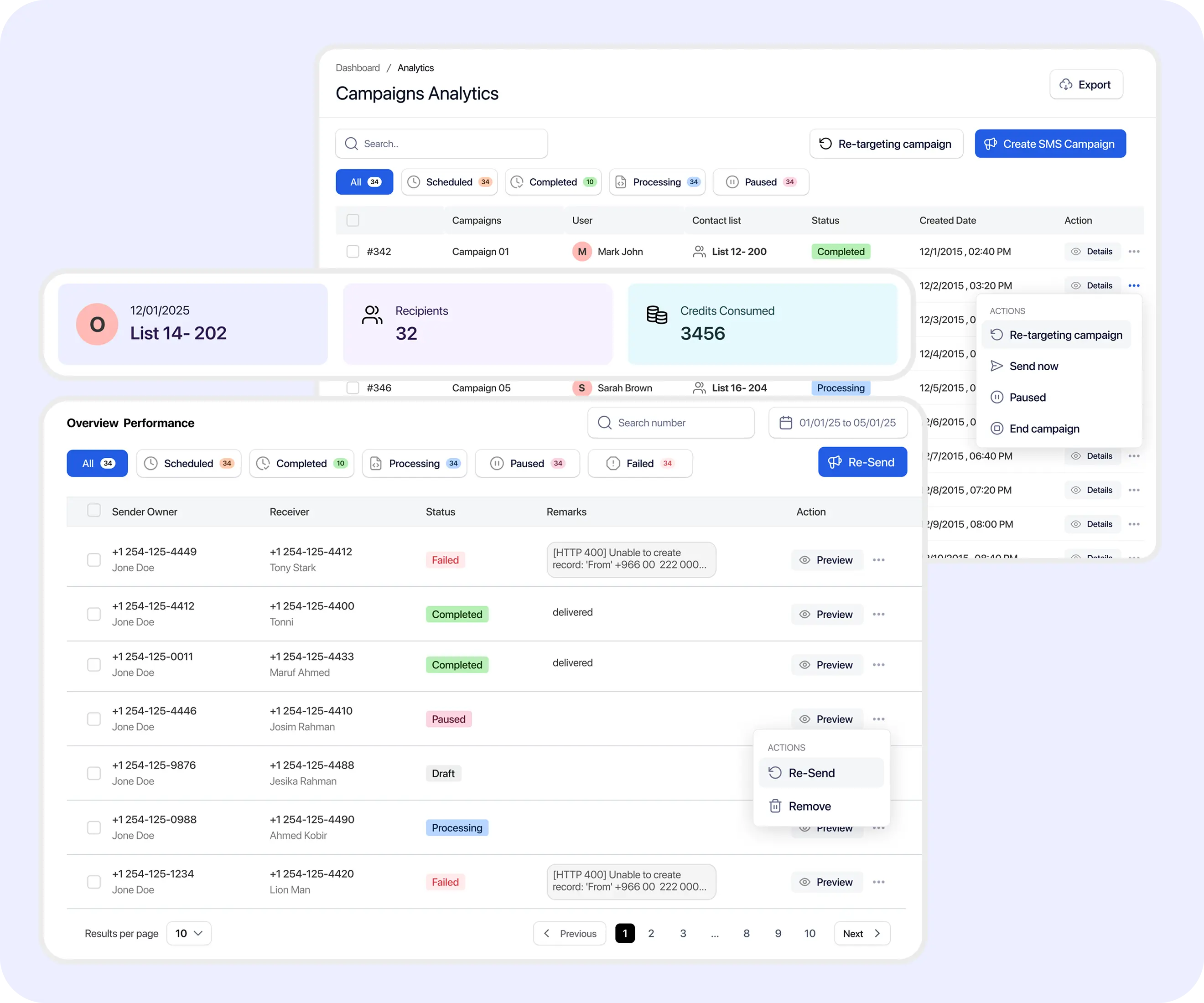
Messaging activity consumes credits based on current TextTorrent billing rules. Confirm campaign-level or date-range credit reporting in your account before relying on a specific usage report.
Example scenario: a mortgage company sends an SMS reminder to opted-in applicants who still need to submit a document.
Open the campaign analytics dashboard.
Review total recipients.
Compare Sent, Accepted, Delivered, and Failed or Undelivered results.
Open campaign details.
Identify invalid or undelivered contacts.
Review replies from applicants.
Move replies into the two-way conversation workflow.
Retarget non-replied contacts with one relevant reminder where appropriate.
Update contact records for applicants who have already completed the requirement.
Teams may compare campaigns as an operational process even when a dedicated A/B-testing tool is not claimed. Use the same status definitions and time windows, and account for audience differences.
Reporting helps teams review messaging activity. It should not be presented as proof of revenue, consent, legal compliance, customer intent, or message readership without additional evidence.
TextTorrent reporting helps teams review messaging activity. It should not be presented as proof of revenue, consent, legal compliance, customer intent, or message readership without additional evidence.
TextTorrent keeps analytics connected to campaigns, conversations, contacts, and follow-up workflows instead of treating reporting as a disconnected dashboard.

Move from campaign summaries into more detailed message records where supported.
Campaign replies can move into the Claims and inbox workflow for team follow-up.
Build follow-up audiences from supported campaign activity such as replied or non-replied contacts.

Review message results alongside contact status where available before retrying or following up.

Analytics supports bulk campaigns, scheduled campaigns, MMS, and other verified messaging workflows.
Start with a seven-day free trial, then choose a plan that matches your messaging volume. Full plan details live on the pricing page.
Everything in our starter plan includes
Everything in starter plus
Everything in growth plus
Full access to all platform features
Practical answers for teams evaluating TextTorrent as SMS analytics software for campaign reporting.
SMS analytics software helps businesses review campaign activity, message statuses, replies, and individual delivery results. It supports operational decisions such as investigating unsuccessful messages and planning relevant follow-up.
TextTorrent campaign analytics can show messaging activity such as Sent, Accepted, Delivered, Failed or Undelivered, and Replies where those results are available. Exact dashboard fields should match the current product interface.
Sent means TextTorrent processed or submitted the message for sending. Accepted means the message was accepted by the relevant downstream provider or messaging system for further processing. Delivered means a delivery confirmation was returned where available. Delivered does not mean the recipient opened or read the message.
No. Delivered generally means a delivery confirmation was returned where available. It does not confirm that the recipient opened or read the message.
Yes. Users can open campaign details and review individual message records such as status, contact or phone number, timing, and available error information where those fields are shown.
An available error code or provider response may provide additional context, but not every unsuccessful message has a complete explanation. Review status, contact context, sending number, and message details together.
Yes. Campaign reply activity can be reviewed in analytics, and supported replies can move into TextTorrent’s two-way messaging or Claims workflow for team follow-up.
Yes. Where supported, TextTorrent can help teams create follow-up audiences from contacts who replied or did not reply. Review subscriber status and avoid repeated or aggressive messaging.
Campaign reporting should be reviewed for the period that matches the campaign you are investigating. Exact date-range controls and presets should be confirmed in the current TextTorrent analytics interface.
No. Standard SMS and MMS delivery reporting does not provide the same open or read tracking available in some email or chat systems.
