

SMS
- Short reminders
- Status updates
- Time-sensitive alerts
- Simple calls to action
- Conversations that do not require media
TextTorrent helps businesses use MMS messaging to combine supported images with clear text for bulk campaigns and customer conversations. Send picture messages, review campaign analytics, and continue two-way replies from the same platform.
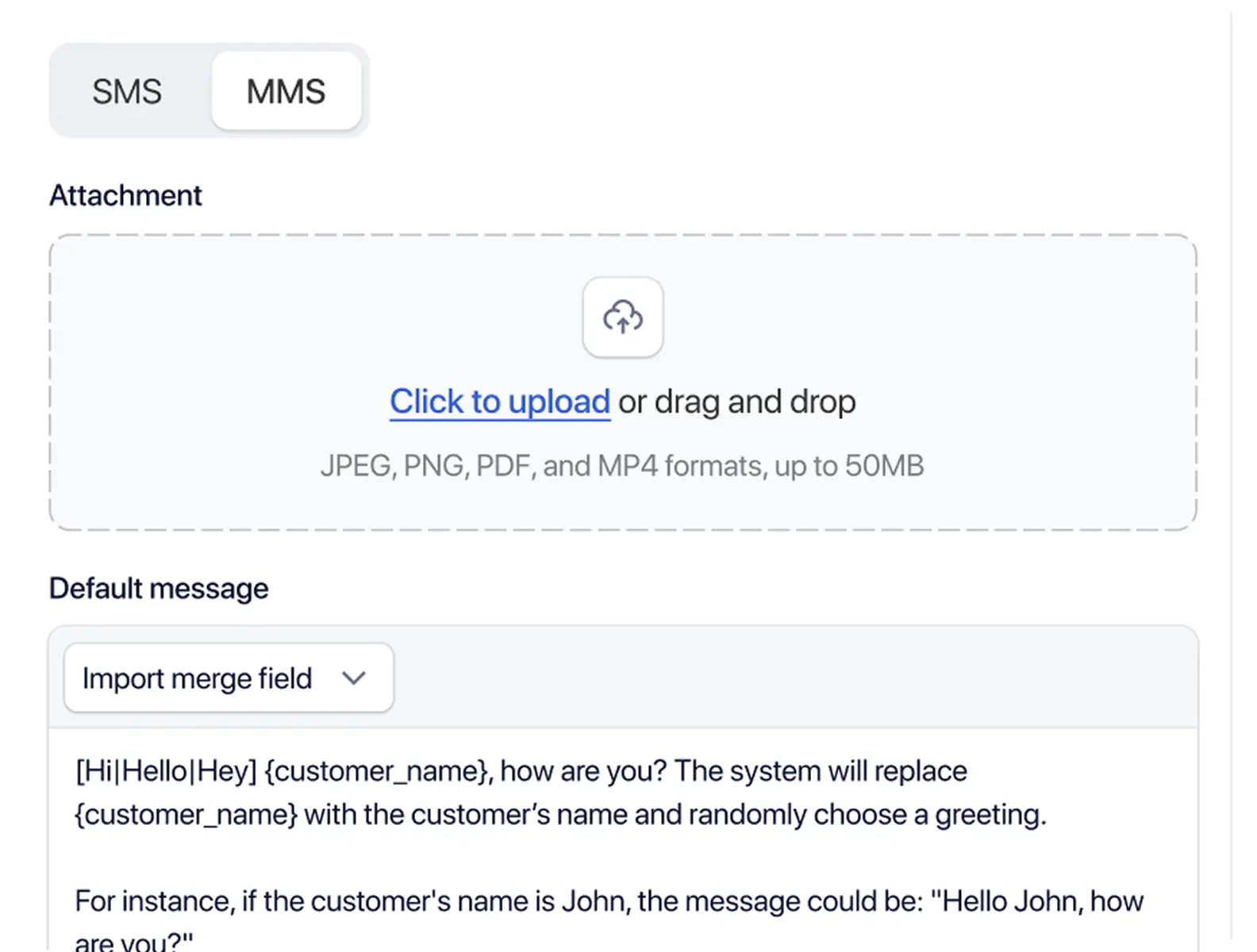
Plain text may not be enough when businesses need to show a product, property, flyer, event, offer, or visual instruction. An MMS messaging platform helps teams add that context without leaving the messaging workflow.

An image can provide context that a written description may not fully communicate, especially for listings, inventory, or physical products.

A media preview within the message can reduce the need to open a separate page just to understand the visual. This does not imply higher click rates.

Images can support event announcements, menus, offers, or product launches when the visual is part of the message itself.

Customers may respond with or request images during two-way conversations, so teams need a place to continue picture-based follow-up.
MMS is not automatically better than SMS. Media increases message size and may affect carrier handling. Support can depend on the number, provider, carrier, device, and media format—so choose the format that best fits the message.
Do not assume identical delivery behavior across every carrier, device, or number. Review media readiness and number capability before broader sending.
TextTorrent connects contact management, contact groups, MMS campaign creation, image or media selection, message copy, business numbers, scheduling, two-way replies, campaign analytics, and reusable templates for copy where supported—so picture messaging stays inside the same workspace as SMS.
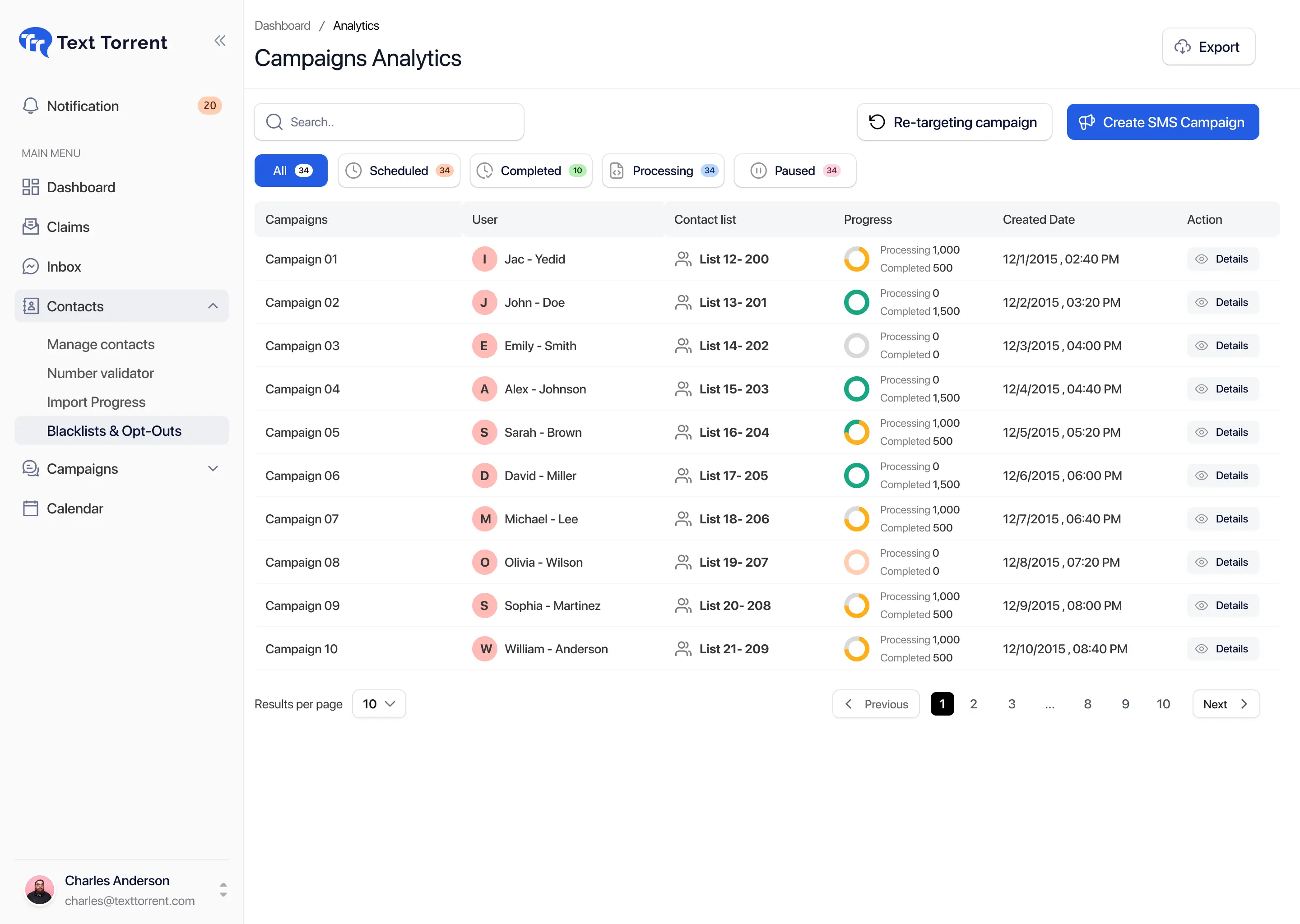
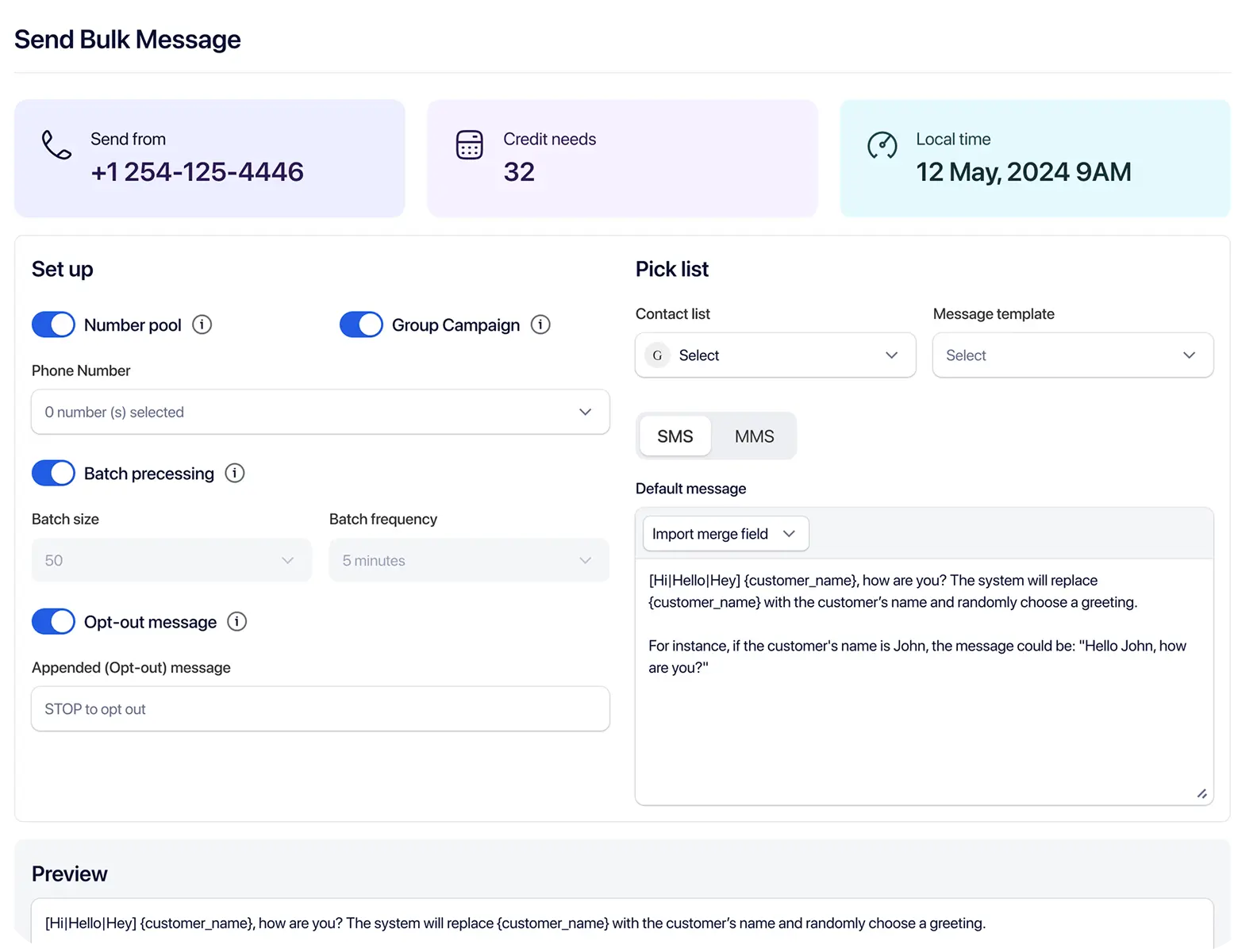
Use a clear campaign workflow so audience selection, media, message copy, sending number, and timing are reviewed before the campaign sends.
Choose the contacts or contact groups that should receive the picture message so the campaign stays relevant.
Create and name the MMS campaign so your team can identify it later in campaign activity and reporting.
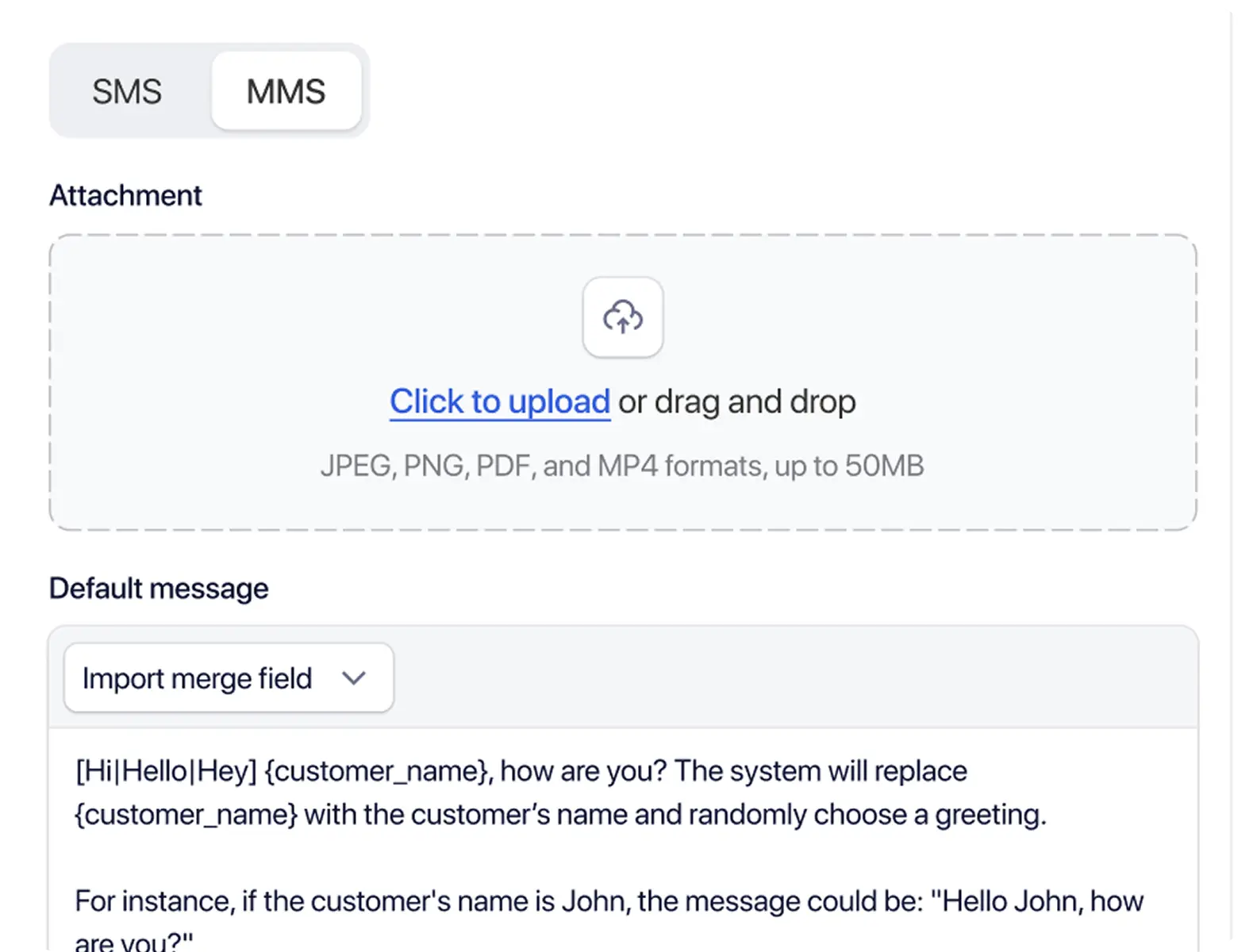
Upload or select a supported media file. Exact file types and size limits should match what the current product accepts.
Write accompanying text that clearly explains the image and the next action the recipient should take.
Choose a supported business number and send immediately or schedule the campaign where the scheduling workflow allows it.
Review campaign activity after sending and continue customer conversations through two-way messaging where supported.
Use TextTorrent MMS tools to prepare visual campaigns, continue picture-based conversations, and review messaging activity after sending.

Attach supported visual media to business messages when an image helps explain the offer, listing, or next step.

Send picture messages to selected contact groups through a campaign workflow instead of one-off manual sends.
Supported customer conversations can include incoming or outgoing picture messages when visual context helps.

Reusable message copy can support recurring visual campaigns. Full media-template reuse should not be assumed unless confirmed in the product.

Supported MMS-capable numbers may be used for campaigns and conversations. Not every local number necessarily supports MMS.

Supported MMS campaigns can be scheduled where the current scheduling workflow allows future delivery.

Review messaging activity and delivery information after sending. TextTorrent does not claim image-open or media-view tracking.
The media and copy should work together. Preview the picture, review the accompanying text, confirm the audience and sending number, and check timing before the campaign goes out.
These examples show practical MMS use cases. They do not promise engagement or conversion outcomes.
Buyers may reply to ask about availability or schedule a showing.
Explore Real Estate messagingCustomers may reply with product questions or size and availability requests.
Explore E-Commerce messagingGuests may reply to reserve a table or ask about the offer.
Explore Restaurants messagingCustomers may reply to ask about availability, pricing context, or appointment details.
Explore Automotive messagingCustomers may reply with questions about next steps or required information.
Explore Insurance messagingRecipients may reply to confirm attendance or ask about venue details.
Explore Events and Community Organizations messagingExample scenario: a real estate business wants to notify opted-in buyers about a new property using an MMS campaign.
Select the relevant buyer group.
Create a new MMS campaign.
Add a high-quality property image.
Write concise listing information.
Add a listing link.
Select the appropriate business number.
Schedule or send the campaign.
Manage buyer replies through two-way messaging.
Supported MMS conversations can continue after a campaign or outbound message when a customer replies. Conversation history, contact context, business numbers, Claims or inbox workflow, and team follow-up stay connected in TextTorrent.

A real estate prospect asks for another property image during the conversation.
A customer shares a product photo, and the team continues from the same thread.

A restaurant sends a menu image when a guest asks what is available.

A service business sends visual arrival instructions before an appointment.

An event organizer sends a venue map when attendees need clearer directions.
Incoming and outgoing media should stay attached to the conversation and contact record where supported.
TextTorrent does not claim image annotation, media editing, OCR, or AI image analysis unless those tools are separately verified.
Explore two-way text messaging
MMS delivery and display may depend on file type, file size, image dimensions, provider, carrier, recipient device, number capability, message encoding, and network conditions. Exact limits should be confirmed in the current product before assuming support.
Supported file types, maximum file size, and multi-media rules are not published here because exact values were not confirmed in this marketing codebase.
Essential information should also appear in the message text. SMS and MMS do not support web-style alt attributes inside recipient devices the way a website does, and media may not display on every device.
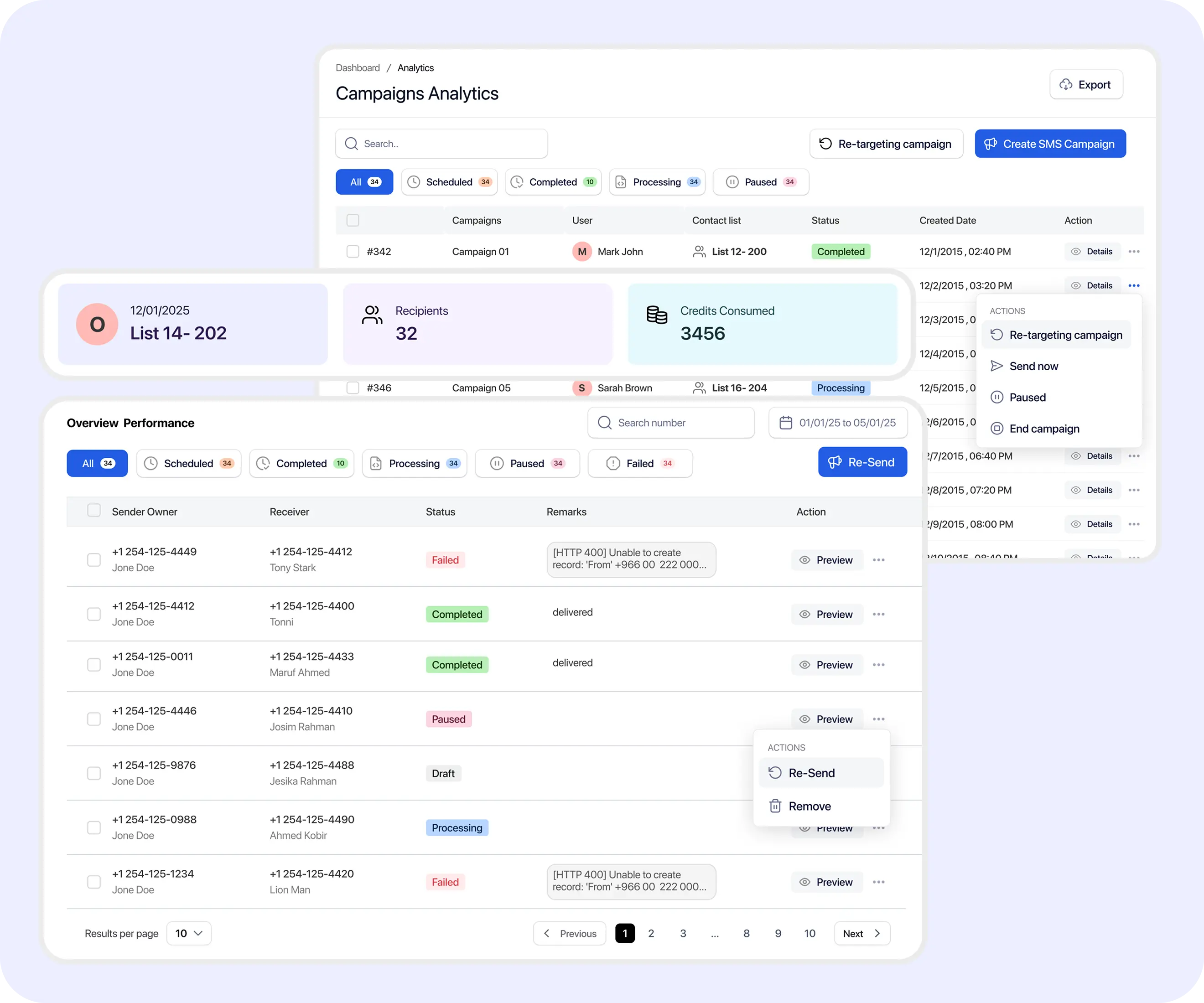
After an MMS campaign runs, review messaging activity to understand what happened and what follow-up may be needed. Delivered does not mean the recipient viewed the media.

The platform submitted or processed the message for sending.

The message was accepted by the relevant downstream provider or messaging system.

A delivery confirmation was returned where available. This does not mean the recipient viewed the image.

The message could not be delivered or did not receive a successful delivery result.
Picture messaging still requires consent-aware practices. Media tools help teams communicate, but customers remain responsible for compliance and media rights.
TextTorrent provides messaging tools and operational controls, not legal advice. Customers remain responsible for obtaining appropriate consent, securing permission to use media, and complying with applicable laws, carrier requirements, and industry rules.
TextTorrent keeps MMS connected to the same campaign, conversation, and reporting tools teams already use for SMS.
Manage plain-text and visual campaigns through the same broader messaging platform instead of treating MMS as a disconnected tool.
Supported MMS conversations can continue after a customer replies, with contact and conversation context nearby.
Organized audiences and reusable copy help teams prepare visual campaigns more efficiently.
Supported campaigns can be scheduled and reviewed after sending so follow-up decisions are based on campaign activity.

TextTorrent does not charge an additional platform seat fee when additional users are added. Roles, permissions, and plan limits may still differ.
Start with a seven-day free trial, then choose a plan that matches your messaging volume. MMS may use a different credit structure from SMS—confirm current MMS credit usage on the pricing page or with support before budgeting campaigns.
Everything in our starter plan includes
Everything in starter plus
Everything in growth plus
Full access to all platform features
Practical answers for teams evaluating TextTorrent as an MMS messaging platform for business picture campaigns.
An MMS messaging platform allows businesses to send supported media, such as images, together with text through business messaging campaigns or conversations. Teams can prepare audiences, add media, write accompanying copy, and review campaign activity from one workflow.
Yes. TextTorrent supports bulk MMS campaigns where available. Users select an audience, create the campaign, add supported media, write the message, choose a sending number, send or schedule the campaign, and review activity afterward.
Yes. Supported MMS messages can receive replies through TextTorrent’s two-way messaging workflow so teams can continue the conversation.
Yes. Supported MMS campaigns can be scheduled where the current TextTorrent scheduling workflow allows a future send time.
TextTorrent supports picture messaging with media formats accepted by the current product workflow. Exact file types can vary by provider and should be confirmed in your TextTorrent account or with support before assuming a format is available.
Maximum MMS file size depends on the current product configuration and provider limits. Confirm the accepted size in your TextTorrent account or with support rather than relying on an unverified published number.
No. Delivery information does not necessarily indicate that the recipient viewed the media. TextTorrent does not claim image-open tracking.
MMS depends on the number’s capabilities, provider support, carrier support, and registration status. Not every local number necessarily supports MMS.

